Hi,
When I crate a new page and add content through Pro, sae it and go to edit the page (permalink, attributes etc) the Pro content is showing in a classic block.
How can I hide the pro content on these pages
thanks
Tony
Hi,
When I crate a new page and add content through Pro, sae it and go to edit the page (permalink, attributes etc) the Pro content is showing in a classic block.
How can I hide the pro content on these pages
thanks
Tony
Hi Tony,
This is happening because of the full-screen Guttenberg block feature that is introduced in WordPress version 5.4.
We will introduce a fix for this in a future release. At the moment you can go to the page in WordPress dashboard and click the three dots at the top-right hand of the screen and select the Code Editor:
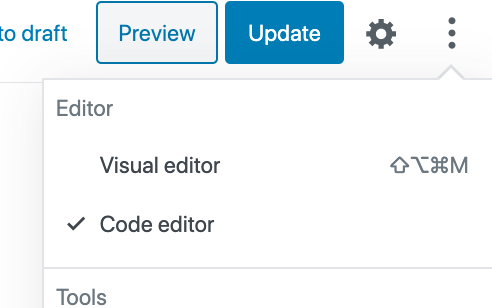
Thank you.
This topic was automatically closed 10 days after the last reply. New replies are no longer allowed.