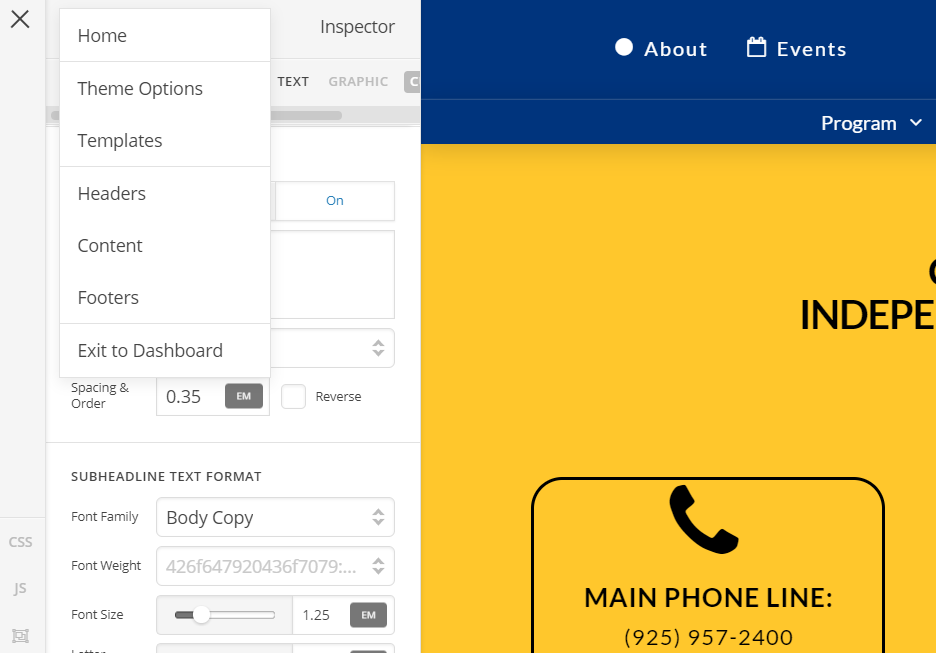
I’ve recreated a classic promo box in a V2 headline element and am having an issue where after entering text for the headline and subhead I can no longer edit the text. When I click the headline text edit button (“click to edit”) after loading the builder, I can edit it. But if I try to edit the subheadline, the click to edit does not load the editor and then I can not edit the headline text anymore. The left sidebar hamburger menu also becomes unresponsive as do many of the other buttons.
I have the most recent release installed. It is on a staging server (no caching) no caching plugins, no cloudflare and I have cleared browser cookies/cache for the site. I have also tried loading it in a private window with the same results.
Also I tried to enter HTML in the subhead (wrapping text in an anchor tag) and it does not get output. Does the text field only except plain text?
Site info will be added in a separate private note.