
Please see attached. Where can I find documentation that will provide detailed information regarding the Active Links Setup options in the Pro Header Builder? I have no idea what these settings do and/or how to use them.
Please see attached. Where can I find documentation that will provide detailed information regarding the Active Links Setup options in the Pro Header Builder? I have no idea what these settings do and/or how to use them.
Hi @mcaravaglia,
Thanks for reaching out.
The current link and ancestor link options will allow you to activate the active status of menu items and sub-menu items. The active status is usually present if you’re on the current page of the menu link you have clicked. Same goes for sub-menu items and if you click it and redirected to that page it will then mark its ancestor menu item as active.
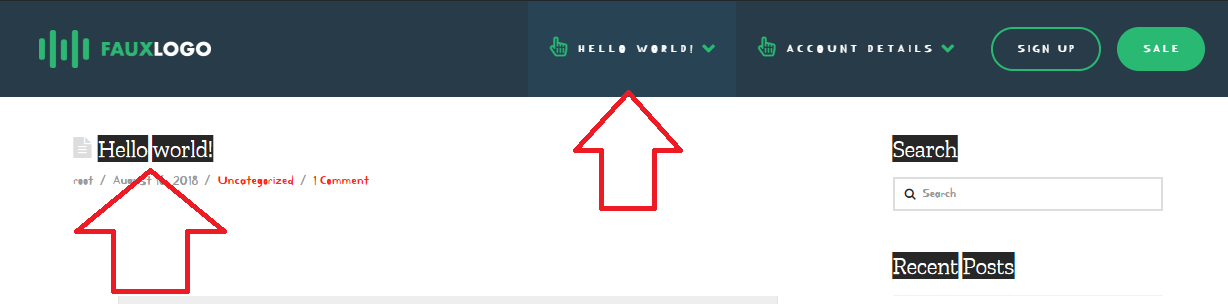
The active status is also similar to hover, it’s a style when you have a menu item that let you know you hovered it. Then the active status is for when you’re on the current page instead of hover, but the styling is mostly similar for active and hover.
Thanks!
This topic was automatically closed 10 days after the last reply. New replies are no longer allowed.