Hi there,
I have two issues.
-
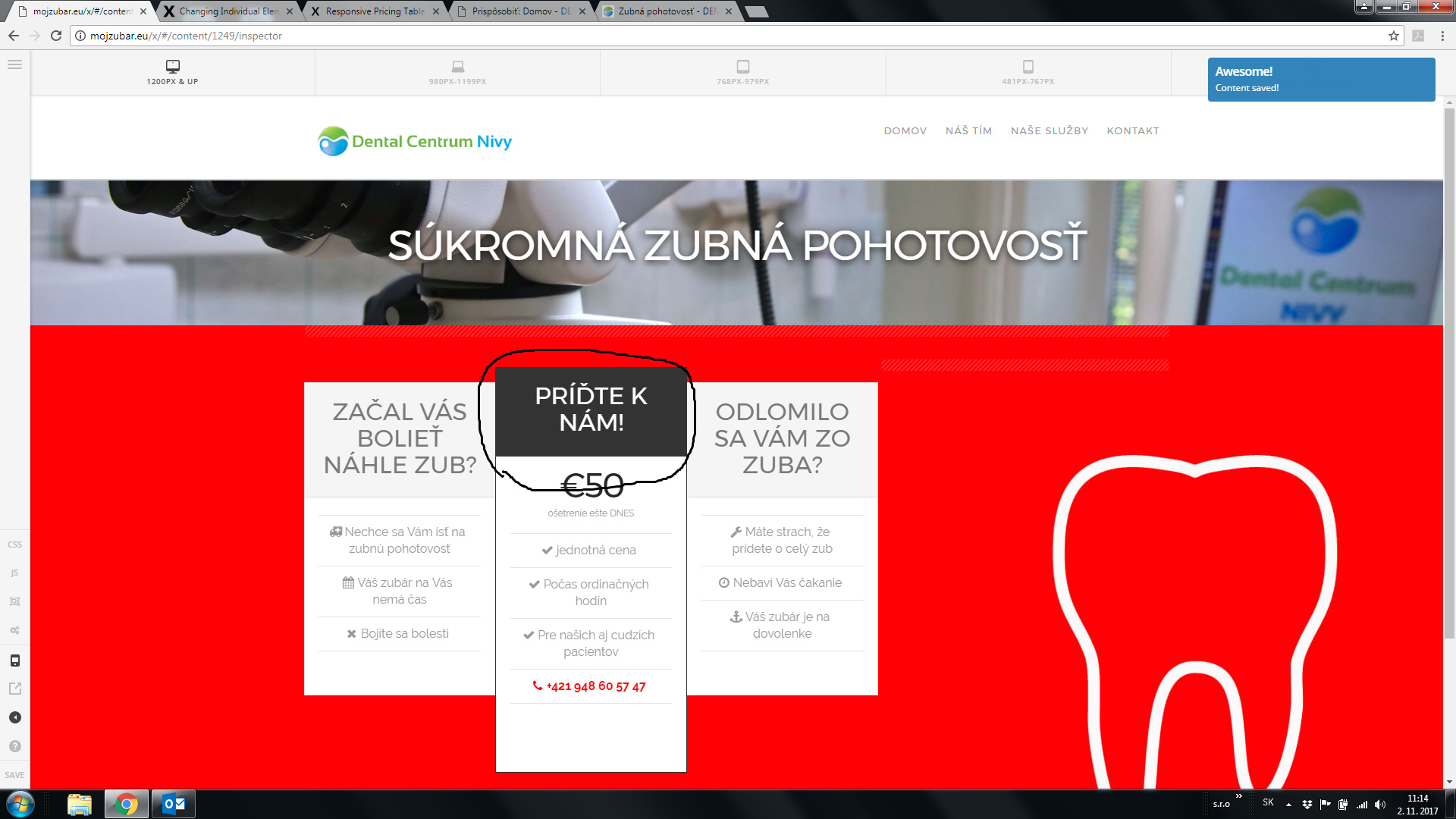
I need to change black color to green (see picture below)
-
I need to change color of single link in navbar
url: mojzubar.eu
Thanks a lot guys.
Michael
Hi there,
I have two issues.
I need to change black color to green (see picture below)
I need to change color of single link in navbar
url: mojzubar.eu
Thanks a lot guys.
Michael
Hello there,
You may update the black color to green within the pricing table by using the following CSS (this would need to be applied within Customize --> Custom --> CSS):
.page-id-1249 .x-pricing-column.featured h2{
  background-color:green;
}
Instead of entering green you may use a HEX green code to get the green color of your choice.
For a full range of HEX green color codes, please check here.
In regards to changing the color of a single link in the navbar, may you confirm if you want to change all of the navbar menu item colors from grey to another color? or when they are active? Please would you be able to provide further clarity in regards to this question please
Thank you and I hope this helps 
Hi there,
thanks a lot it works perfectly.
In navbar I circled the item which I want to have red in this position. Hover can stay the same on all items.
Thanks.
Michael
Hello there,
That’s no problem at all - thank you for keeping us updated!
To change the color to red for just the one menu item in question, please use the following custom CSS within Customize --> Custom --> CSS:
#menu-item-1276 a{
  color: red;
}

#menu-item-1276 a:hover{
  color: rgb(29,147,255);
}

.x-topbar .p-info a:hover, .x-social-global a:hover, .x-navbar .desktop .x-nav > li > a:hover, .x-navbar .desktop .x-nav > .x-active > a, .x-navbar .desktop .x-nav > .current-menu-item > a, .x-navbar .desktop .sub-menu a:hover, .x-navbar .desktop .sub-menu .x-active > a, .x-navbar .desktop .sub-menu .current-menu-item > a, .x-navbar .desktop .x-nav .x-megamenu > .sub-menu > li > a, .x-navbar .mobile .x-nav li > a:hover, .x-navbar .mobile .x-nav .x-active > a, .x-navbar .mobile .x-nav .current-menu-item > a, .x-widgetbar .widget a:hover, .x-colophon .widget a:hover, .x-colophon.bottom .x-colophon-content a:hover, .x-colophon.bottom .x-nav a:hover{
  color: rgb(29,147,255)!important;
}
I hope this helps
Great thanks a lot it works perfectly.
Great! No problem at all
This topic was automatically closed 10 days after the last reply. New replies are no longer allowed.