Hi, I got this error on Google PageSpeed Insights, any suggestions on how to fix that?
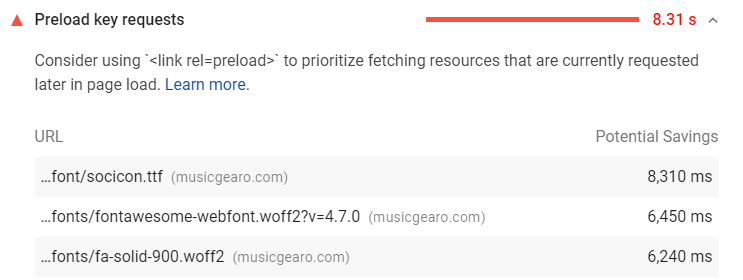
Hi, I got this error on Google PageSpeed Insights, any suggestions on how to fix that?
Hey Viliam,
Regretfully, there’s currently no option to add a preload attribute to Font Awesome rendering. I believe this can be done using optimization plugins like WP Rocket though. For more details, please read this article: https://wp-rocket.me/blog/preload-prefetch-preconnect-speed-site-browser-resource-hints/
WP Rocket is just one plugin that I know can do that. There might be others that can do that as well so you need to research what’s best for your project.
Thanks.
yeah I have WP Rocket and there is Preload option but it do nothing…
Hi Viliam,
Since your site heavily caches and minified, please clear it to make sure the changes are applied.
If that still not work, please manually defined to preload these resources
https://musicgearo.com/wp-content/plugins/social-icons-widget-by-wpzoom/assets/font/socicon.ttf
http://musicgearo.com/wp-content/plugins/shiftnav-responsive-mobile-menu/assets/css/fontawesome/fonts/fontawesome-webfont.woff2
http://musicgearo.com/wp-content/plugins/cornerstone/assets/dist/fonts/fa-solid-900.woff2
I’m not familiar with WP Rocket, but it seems they do have Sitemap-based cache preloading option for that. Please see the documentation or consult their support for assistance.
WP Rocket 3.2 A New Preload System And Other Stellar Features.
Happy holidays,
thanks  I figured it out yesterday
You’re welcome Viliam.
Cheers!
This topic was automatically closed 10 days after the last reply. New replies are no longer allowed.