Post list created unwanted space

Hi there, I have a weird little glitch I can’t seem to figure out how to get rid of.

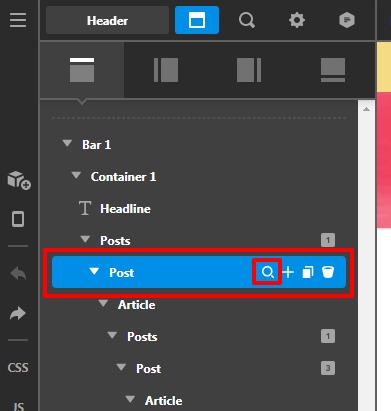
I’ve used the dynamic element “post (list)” to create an area in the header with the latest podcast episode. I’ve adjusted the loop to only include one post from the podcast category. And I’ve removed the “subheadline” that included the date on the Title element.

It looks great in the Header Builder. See:

But when I output live, there is a mysterious space/gap above the title. When I look at the code, it does have a corresponding snippet. See:

I suppose I could null it out with some css… but I’d rather it not be there. Anything I can do? Let me know if you’d like access to pop in and check for yourself.

Thanks in advance for your help!

Hi @RachelDi,

Thanks for reaching out.
It will be very difficult to recognize the issue without investigating the specific page URL. Can you please provide login credentials of your site in a secure note to examine it further, including:

– WordPress Site URL & Login URL
– WordPress Admin username/password

To create a secure note, click the key icon underneath any of your posts.

Thanks

Hello @RachelDi,

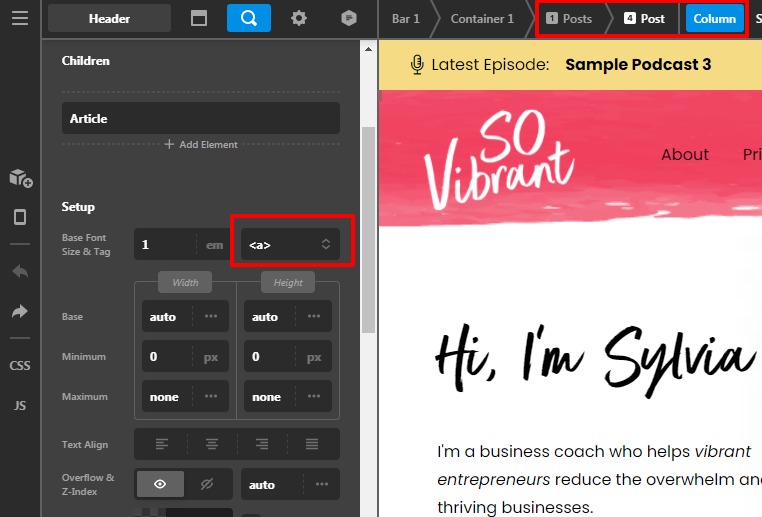
Thanks for sharing the login credentials I went ahead and checked your site and your settings. It seems that you have set the multiple anchor tag(<a>) on the header bar posts elements due to that the blank anchor tag is rendering on the frontend. I would suggest you set the div tag there.

Please have a look at the given screenshot below.

Default-Header-1-Headers-Pro

Hope it helps
Thanks

This topic was automatically closed 10 days after the last reply. New replies are no longer allowed.