Hi, How to show Post Carousel only on the homepage?
Can you please change my username to dave306
Thanks in advance.
Hi, How to show Post Carousel only on the homepage?
Can you please change my username to dave306
Thanks in advance.
Hi Dave,
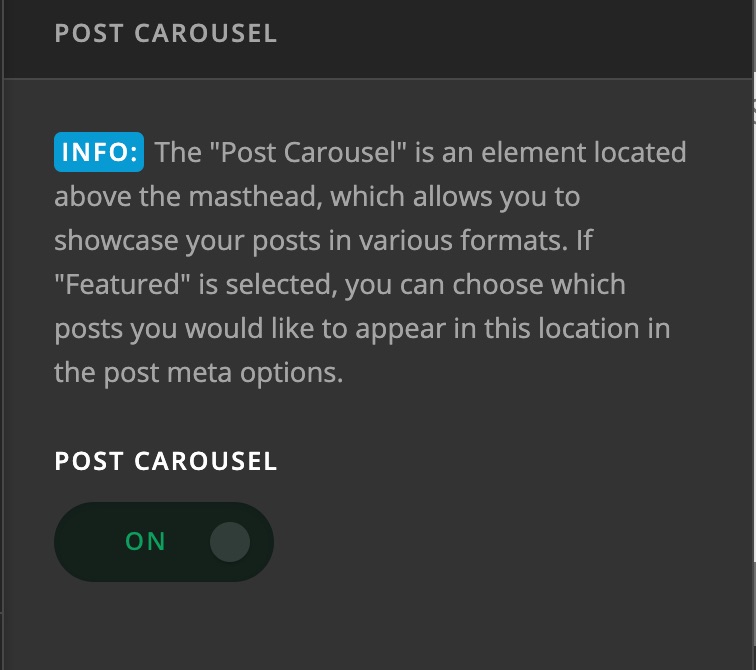
Please go to X > Theme Options > Ethos > Post Carousel:
I have updated your username as requested.
Hope this helps.
I really know how to turn it off and on  but my question was how to show it only on the homepage? ( i don’t want it in posts)
and thanks for changing my username.
Hello @Dave306,
Please be advised that the Post Carousel, once enabled, will be displayed sitewide. You can check it out in our Ethos demo here:
And if you want to display the post carousel only on the homepage, you will need to modify the template in your child theme. To do that, since you have your child theme active and ready, please follow these steps below:
1] Using Notepad or TextEdit or Sublime Text or any text editor, please create a new file in your local machine.
2] Insert the following code into that new file
<?php

// =============================================================================
// VIEWS/ETHOS/_POST-CAROUSEL.PHP
// -----------------------------------------------------------------------------
// Outputs the post carousel that appears at the top of the masthead.
// =============================================================================

GLOBAL $post_carousel_entry_id;

$post_carousel_entry_id = get_the_ID();

$is_enabled = x_get_option( 'x_ethos_post_carousel_enable' ) == '1';
$count      = x_get_option( 'x_ethos_post_carousel_count' );
$display    = x_get_option( 'x_ethos_post_carousel_display' );

switch ( $display ) {
  case 'most-commented' :
    $args = array(
      'post_type'      => 'post',
      'posts_per_page' => $count,
      'orderby'        => 'comment_count',
      'order'          => 'DESC'
    );
    break;
  case 'random' :
    $args = array(
      'post_type'      => 'post',
      'posts_per_page' => $count,
      'orderby'        => 'rand'
    );
    break;
  case 'featured' :
    $args = array(
      'post_type'      => 'post',
      'posts_per_page' => $count,
      'orderby'        => 'date',
      'meta_key'       => '_x_ethos_post_carousel_display',
      'meta_value'     => 'on'
    );
    break;
}

?>

<?php if ( $is_enabled && is_front_page() ) : ?>

  <?php $wp_query = new WP_Query( $args ); ?>

  <?php if ( $wp_query->post_count > 0 ) : ?>

    <ul class="x-post-carousel unstyled">

      <?php if ( $wp_query->have_posts() ) : ?>
        <?php while ( $wp_query->have_posts() ) : $wp_query->the_post(); ?>

          <li class="x-post-carousel-item">
            <?php x_ethos_entry_cover( 'post-carousel' ); ?>
          </li>

        <?php endwhile; ?>
      <?php endif; ?>

      <script>

      jQuery(document).ready(function() {
        jQuery('.x-post-carousel').xSlick({
          speed          : 500,
          slide          : 'li',
          slidesToShow   : <?php echo x_get_option( 'x_ethos_post_carousel_display_count_extra_large' ); ?>,
          slidesToScroll : 1,
          rtl            : <?php echo json_encode( is_rtl() ); ?>,
          responsive     : [
            { breakpoint : 1500, settings : { speed : 500, slide : 'li', slidesToShow : <?php echo x_get_option( 'x_ethos_post_carousel_display_count_large' ); ?> } },
            { breakpoint : 1200, settings : { speed : 500, slide : 'li', slidesToShow : <?php echo x_get_option( 'x_ethos_post_carousel_display_count_medium' ); ?> } },
            { breakpoint : 979,  settings : { speed : 500, slide : 'li', slidesToShow : <?php echo x_get_option( 'x_ethos_post_carousel_display_count_small' ); ?> } },
            { breakpoint : 550,  settings : { speed : 500, slide : 'li', slidesToShow : <?php echo x_get_option( 'x_ethos_post_carousel_display_count_extra_small' ); ?> } }
          ]
        });
      });

      </script>

    </ul>

  <?php endif; ?>

  <?php wp_reset_query(); ?>

<?php endif; ?>
3] Save the file named as _post-carousel.php
4] Upload this file to your server in the child theme’s folder /wp-content/themes/x-child/framework/legacy/cranium/headers/views/ethos/
You will need to create the folder path since it does not exist in your child theme yet.
Please let us know how it goes.
This topic was automatically closed 10 days after the last reply. New replies are no longer allowed.