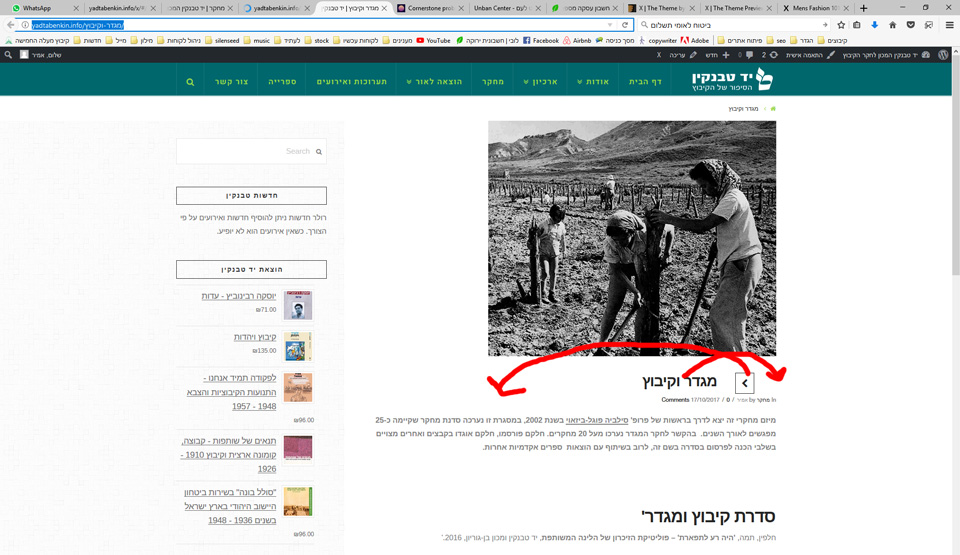
hi guys the post alignment is not set for rtl
the heading should align right
the arrow to scroll between posts should align left (and is missing another arrow)
attached is a screen shot
this is the page
hi guys the post alignment is not set for rtl
the heading should align right
the arrow to scroll between posts should align left (and is missing another arrow)
attached is a screen shot
this is the page
Hey,
Just add the following custom CSS code:
    margin-left: 0!important;
}```hi nearly there
please look at the screen shot
the post title should go on the right
the arrows on left (left of the title)
and the arrows alignment should be fixed like in the red circle.
thanks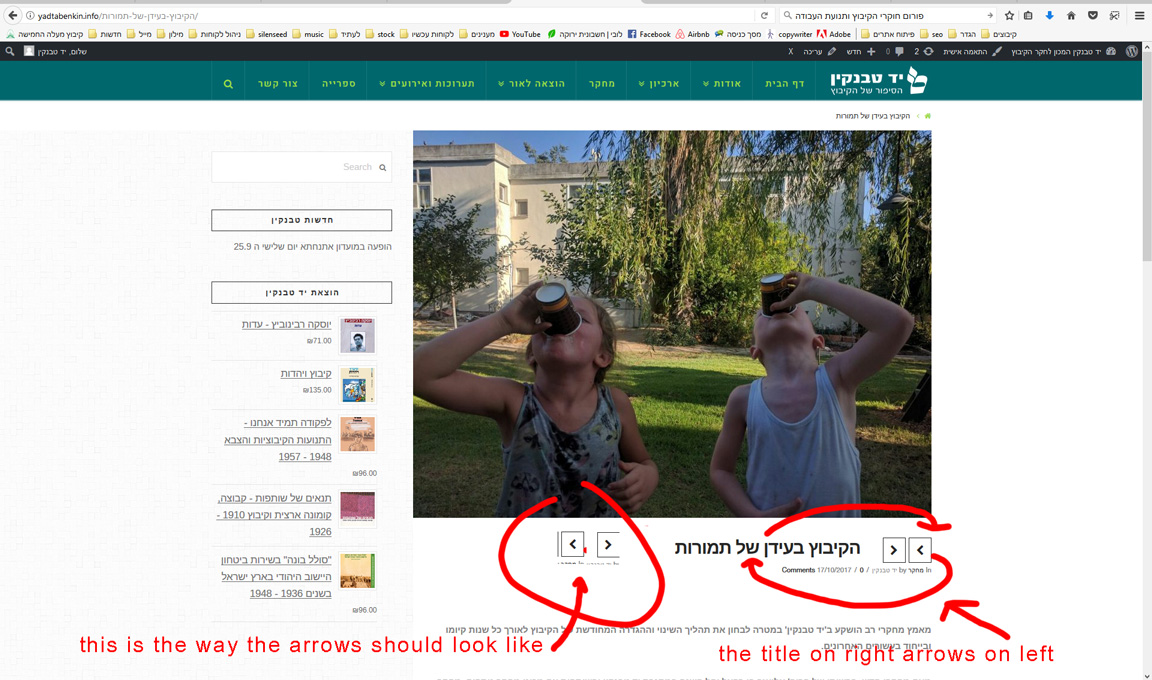
Hi there,
Please also add the code below to X > Launch > Options > CSS:
.x-nav-articles {
	float: left;
	margin-left: 0;
	margin-right: 35px;
}

.x-nav-articles .prev {
	float:  right;
}
Thank you.
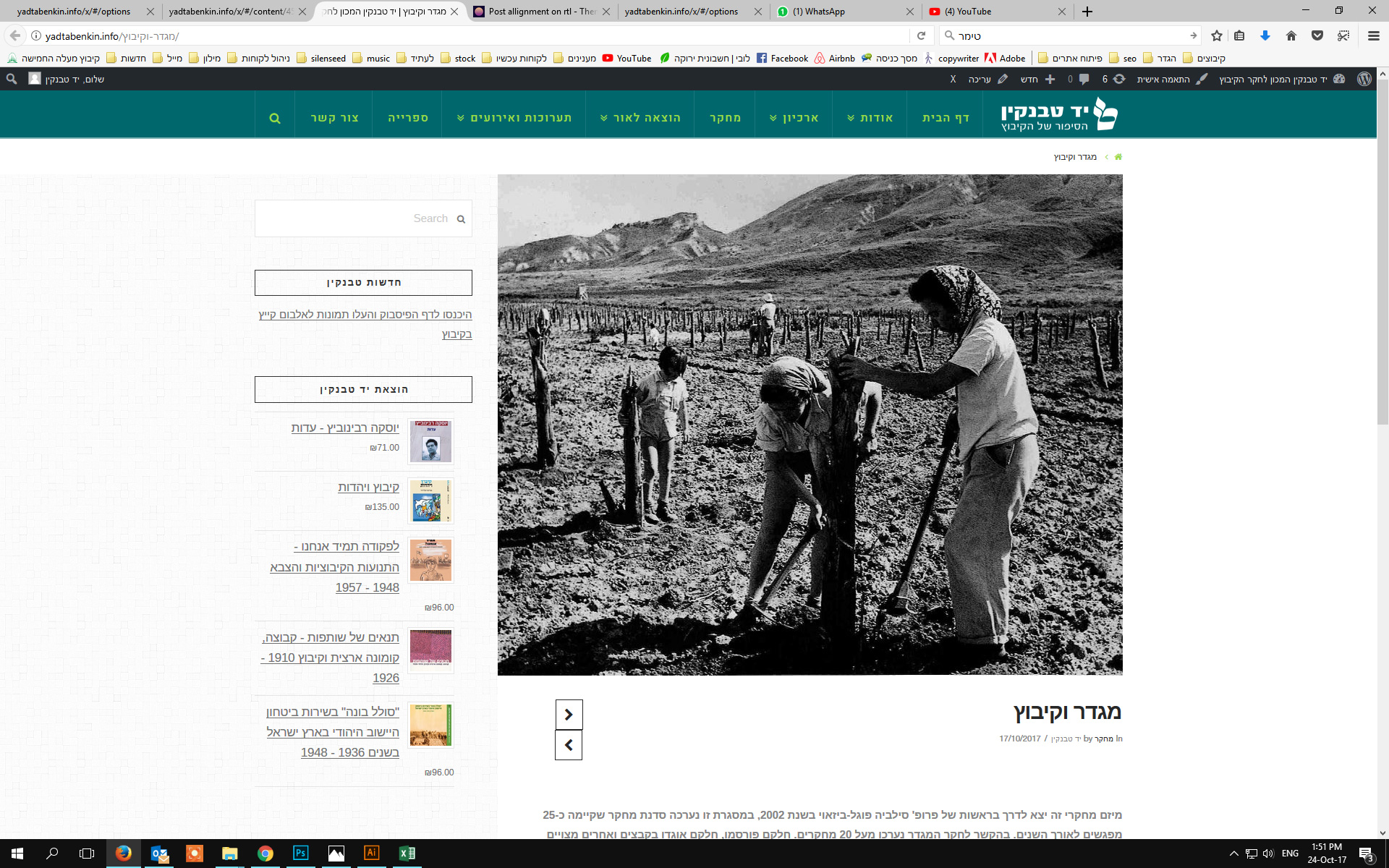
hi almost i dont understand why but it worked for a second then the arrow went down
here is a screen shot . the arrows are pointing to the correct direction
the bottom one should go to the left
thanks
Amir
Hi Amir,
Please add this code:
.x-nav-articles {
     width: 88px;
}
Hope this helps.
great thanks a million
Amir
You’re welcome, Amir.
This topic was automatically closed 10 days after the last reply. New replies are no longer allowed.