This is only happening in one photo gallery (http://blumen.com/testing/wedding-reception-gallery/). But images that are portrait oriented display on their own row whereas those which are landscape display in rows of 3 (which is what they’re set to). These are all thumbnails so it shouldn’t matter what the original image’s orientation is but that is the only difference and it’s consistent. We’ve rebuilt it several times and it keeps displaying improperly.
Hey @donorkoskey,
The portrait class does not affect the layout. It is the uneven gallery item height that is causing the issue. Because of that, the gallery item could not move to the left because the extra length of the first gallery item in row is preventing it from sticking to the left.
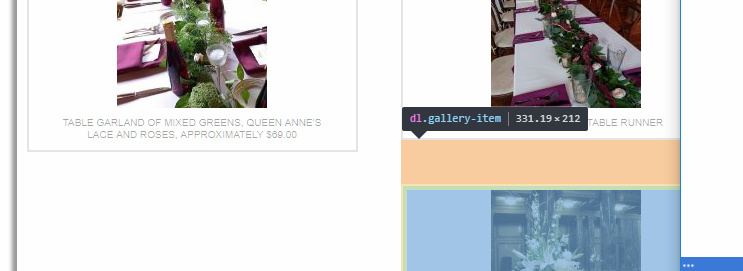
You can set a min-height to your gallery items using CSS.
.gallery-item  {
    min-height:220px
}
Or, it would be much better if you use one of the grid plugins.
Thanks.
Ah, so essentially the captions are doing it then? I’ll set the min-height. Thank you!
Yes, all of them should have the same number of lines.
Thanks.
This topic was automatically closed 10 days after the last reply. New replies are no longer allowed.