Portfolio thumbnail cropped in agency theme

I notice that all my portfolio thumbnails are cropped, I don’t have the crop section selected in the settings, how can I make that it doesn’t?
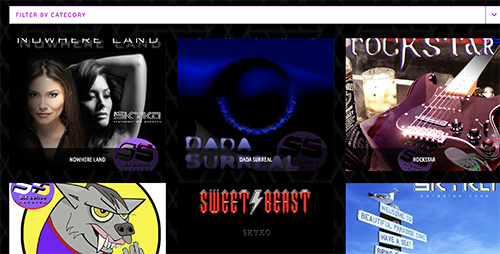
I saw another post with the same subject https://theme.co/apex/forum/t/agency-portfolio-thumbnail-cropped/16968
I tried applying the code they suggested but nothing changed.

.x-recent-posts .x-recent-posts-img {
background-size: contain;
}

Can you help me please?

Hi There,

Thank you for writing in, please update your custom CSS to this.

.page-template-template-layout-portfolio .entry-cover {
	background-size: contain;
}

You can find the proper CSS code selector using the Chrome browser Developer Toolbar
For the CSS code itself, I suggest that you get started with this tutorial

Please make sure that your feature image is close if not a perfect square (aspect ration of 1:1) or else it will leave empty space above and below the container.

Hope it helps,
Cheers!

That worked but I am getting a gray space on the side of each image - how can i make that black?
see on this picture…

Hi There,

To apply a black background on the container, please update the given CSS code to this:

.page-template-template-layout-portfolio .entry-cover {
	background-size: contain;
	background-color: #000;
}

Thanks,

1 Like

Thank you! That looks great now!

Glad we were able to help :slight_smile:

This topic was automatically closed 10 days after the last reply. New replies are no longer allowed.