Hey @ragewebdesign,
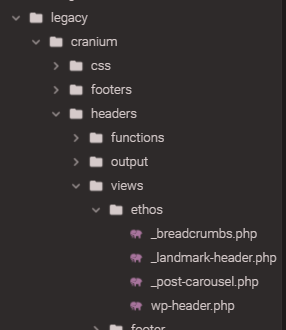
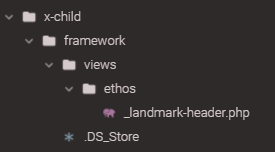
The _landmark-header.php template file still exist. It’s in the legacy folder. Though it’s in that folder, the old template override is backwards compatible so you can copy that file into your child theme’s framework/views/ethos/
I will show you how to add the tag description but keep in mind that the Ethos landmark header was not designed to display other elements other that the tag archive title. I will show you how to output the tag description but you’ll need to do the styling as that would be quite involved.
Here’s the steps to output the description.
-
Copy _landmark-header.php from the parent theme legacy/cranium/headers/views/ethos(or other stack)/ directory to your child theme’s framework/views/ethos/ directory.
-
Look for this code
    <?php elseif ( is_tag() || x_is_portfolio_tag() || x_is_product_tag() ) : ?>

      <?php

      $meta  = x_get_taxonomy_meta();
      $title = ( $meta['archive-title'] != '' ) ? $meta['archive-title'] : __( 'Tag Archive', '__x__' );

      ?>

      <header class="x-header-landmark x-container max width">
        <h1 class="h-landmark"><span><?php echo $title ?></span></h1>
      </header>
and this code under the h1 tag
        <p>
          <?php echo tag_description() ?>
        </p>
Like this:

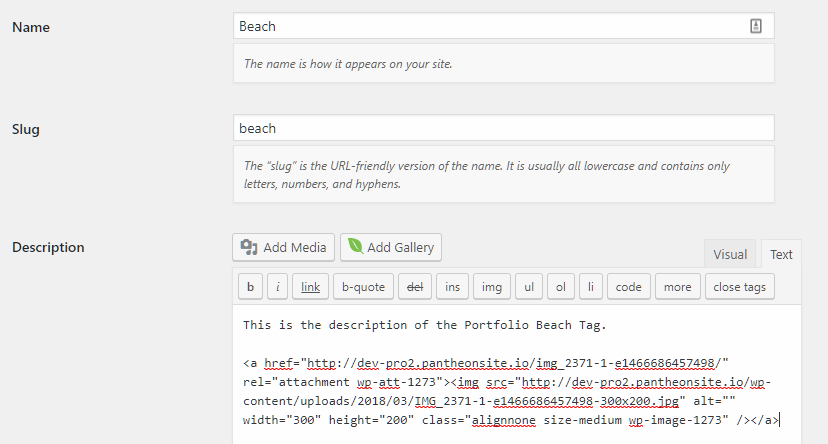
You can now add content to your description.

Hope that helps.

