Howdy and happy new year!,
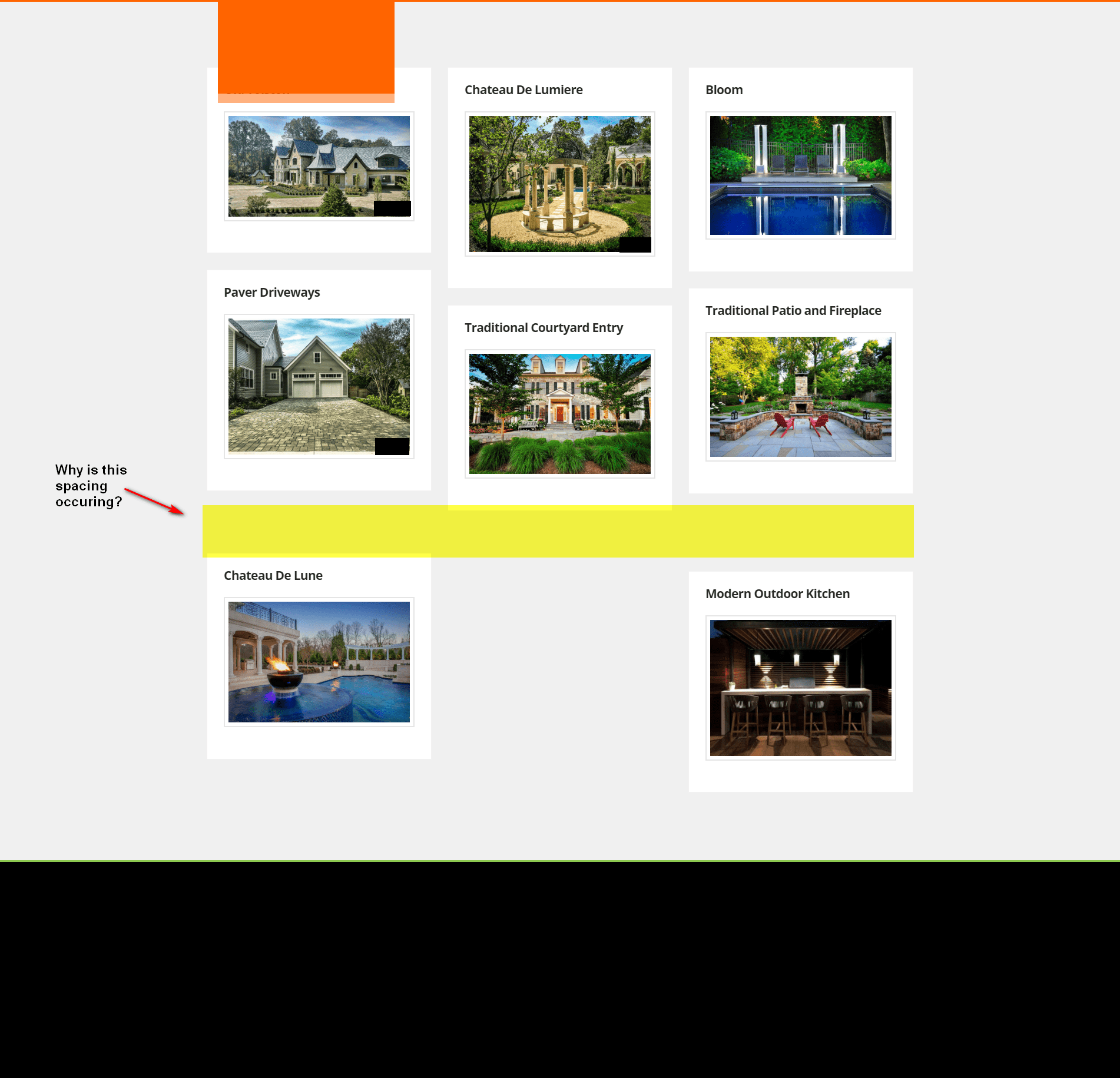
I’m getting this uneven padding between project cards that I can’t figure out. we’d like a uniform spacing like the rest of the portfolio items.
any idea on how i can i make this a straight line? ie load them not masonry
Howdy and happy new year!,
I’m getting this uneven padding between project cards that I can’t figure out. we’d like a uniform spacing like the rest of the portfolio items.
any idea on how i can i make this a straight line? ie load them not masonry
Hello @plashal,
Thanks for writing in!
You are experiencing this issue because you have uploaded images for each portfolio items featured image having a different dimensions. The different image heights leads to misalignment of each portfolio item boxes. To resolve this, please add the following CSS code in the X > Theme Options > Global CSS (http://prntscr.com/evui3r)
#x-iso-container .entry-thumb {
    max-height: 170px;
    overflow: hidden;
}
We would loved to know if this has work for you. Thank you.
This topic was automatically closed 10 days after the last reply. New replies are no longer allowed.