Hi Guys
I have an ethos stack and a filtering system of my portfolio.
One of the categories is not filtering, do you have nay reasons why that might be?
Thanks
Hello @willis1971,
Thanks for writing in!
By default, the portfolio page will load 24 items regardless of the category. You can filter out the items by category using the button. However, there is only 1 item or no item loaded in the click category, it does not load other items which is not present on the page. You will have to go page 2 and another batch of items is loaded again.
One thing to understand is that the purpose of this button is only to sort portfolio items by category loaded within the page. For example, in your portfolio page, you have 24 items loaded in page 1. If you select “Shaded Brow”, nothing will display because none out of the 24 items in the page has been assign or that belongs to that category.
Hope this explains it briefly.
Hi
Thank you for the reply.
I understand but for example I have a picture within the 24 which labelled category “areola reconstruction” when i filter it doesn’t show that image, in fact when i got the next 24 and the next 24 it still doesn’t filter. In fact I have 15 images all in the category “areola reconstruction” it doesn’t filter any of them.
Hello @willis1971,
I have logged in and investigated the issue. As it turns out, you are using an older version which may have a bug. I went ahead and updated your Theme to X 7.1.2 and Cornerstone 4.1.2. I have updated other plugins as well.
Your portfolio filter is now working. Please check your site.
Hi, Thank you that has worked.
Can I ask, Could we remove the filter and just do like a ‘hub’ page of like
brows
Lips
Areola
Eyeliner
And then when you click through it’s just the gallery of them?
So like 4 gallery’s instead of 1, on 4 pages? If that makes sense?
Hi @willis1971,
Yes, that is possible.
- Create 4 pages, one for each hub brows, lips, areola, and eyeliner.
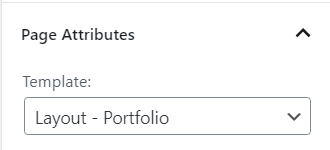
- On each Page Attributes >Page template : Choose Layout Portfolio
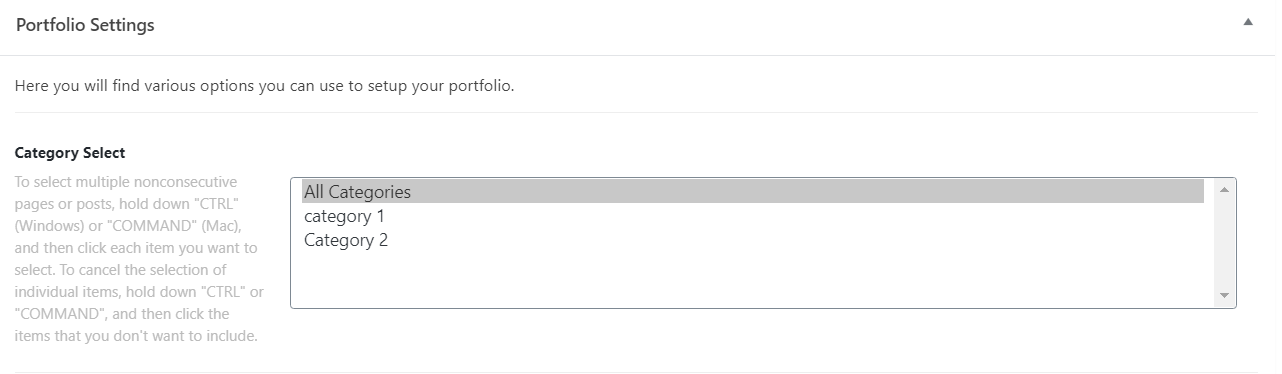
3.) Under each page Portfolio Settings > Choose the specific category you want to display on each page.
Hope this helps.
This topic was automatically closed 10 days after the last reply. New replies are no longer allowed.