Portfolio Gallery Thumbnails

Hello there, I am using the pro theme.

I have a portfolio of products which I add as Portfolio Items. I changed the Media Type to Gallery and added images to the post in order to create a featured slider.

Is it possible to change the featured slider on a Portfolio item so that it shows image thumbnails and change the styling of the arrows? At best I would like to design a revolution slider layout instead of the standard portfolio item slider.

There is a ‘slide_template’ custom field, but it does not seem to do anything?
Hi There @Altijd

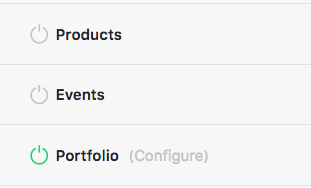
Thanks for writing in! Basically you can create custom Portfolio item layouts using Pro content builder. For that, first you need to enable Portfolio editing by head over to Pro -> Settings -> Permissions -> General area. Make sure to click on update to save changes.

Then you can create a Portfolio item using the Pro builder and create any layout using the builder as you would like and it will display on your portfolio main page as well. If you create custom sliders for each portfolio item using slider revolution, you can use it’s shortcodes to display it in your portfolio items as well.

Hope that helps.

Yes I am doing that, but still the featured image/gallery seems to be mandatory either way.

Hi Altijd,

Sorry, but we can not provide support for modifying the default slider of Gallery Portfolio. However, you can set the Media Type to Image and add your custom slider (Revolution Slider) as part of the content.

Thanks,

This topic was automatically closed 10 days after the last reply. New replies are no longer allowed.