Portfolio gallery arrows

Hi

As I want to have multiple images in my portfolio, I am adding them to my Media Library and attach to the Portfolio Item. But where I only have 1 image the arrows still remain, is there a way of removing these?

http://testsite.hellogriff.com/portfolio/keymex-web-banners/

Also, can you adjust the styling of the black bar and title text on the Portfolio page?

http://testsite.hellogriff.com/portfolio/

Thanks
Hi There,

Thanks for writing in!

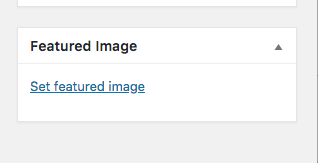
Please use feature image instead of the gallery for single image post.

Can you please tell us what exactly you want to achieve for the bar and title. so that we can suggest.

Thanks

Hi The issue with using a Featured image for the single post is that if the image is long it crops not how I want it. Is there a way to control the crop?

For the title bar, just changing the colour and font colour and uppercase to lowercase

Thanks :slight_smile:

Hi there,

Can you please try following this thread and see if that helps (https://theme.co/apex/forum/t/portfolio-featured-image-size/10762).

Basically if you’re using unevenly different width and height images (for example width is 400px and height is 1000px), you need to resize it using a tool before using it on your site.

Thanks!

This topic was automatically closed 10 days after the last reply. New replies are no longer allowed.