Plugin The grid -> Show the button only when the mouse is placed on top

Good Morning,

I am using the The Grid plugin to show my projects. I have modified a skin to adapt it to my project, but no matter how many laps I give it, I am not able to show the “See Project” button only when the mouse is passed over, it is always visible …

any ideas?

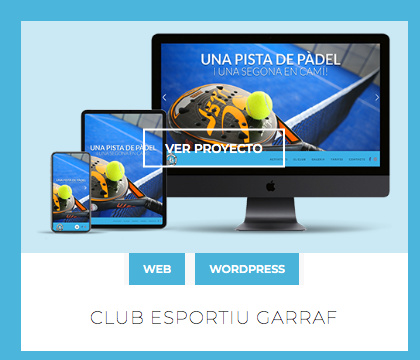
Here you should not see the button “Ver Proyecto”:
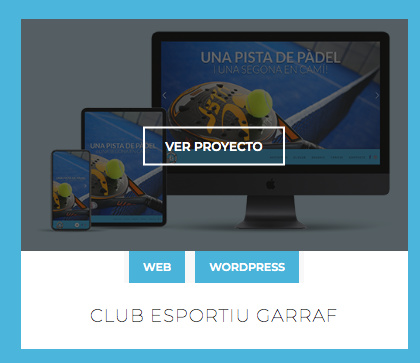
Here if it should be seen…
Hi Mauro,

Thanks for reaching out.

It appears you have plenty of your site in your account and I couldn’t find which has this grid. Would you mind providing a sample URL.

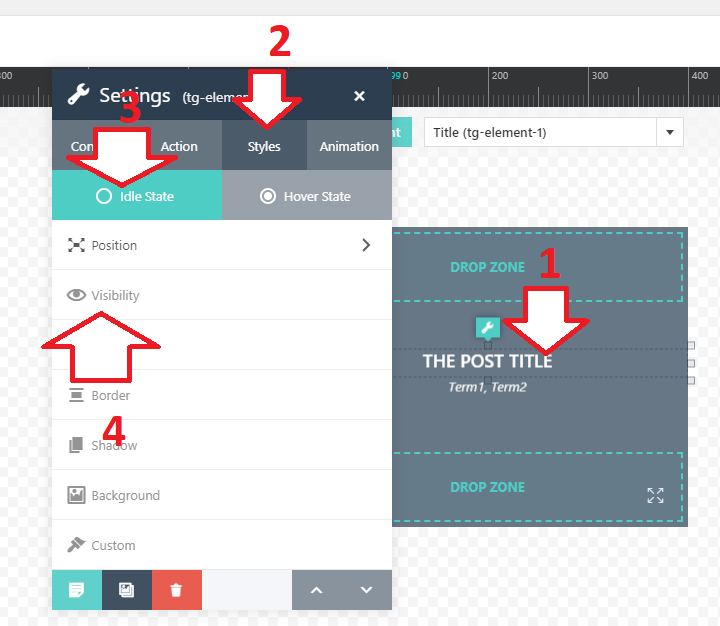
For the meantime, in case you’re not familiar with The Grid’s skin builder then please check this https://theme-one.com/docs/the-grid/#skin_builder. And you could initially hide a layer and only display it upon hover once you edit the skin.

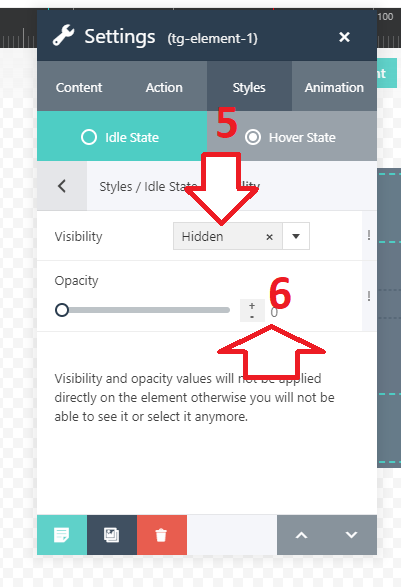
Then your button will be hidden while it’s on IDLE state, now, go to Hover State setting and do the same but instead of hidden and 0 opacity, make it visible and opacity to 1.

Hope this helps.

This topic was automatically closed 10 days after the last reply. New replies are no longer allowed.