Plugin (Gecka Subemnu) not working after update

Hi,

On a lot of my websites that use the X theme, I also use the Gecka Submenu plugin.

It always worked perfect; in the menu I had to place a check if I wanted the parent to automatically show all child pages it had. However, after I updated my website from version 5.1 to 5.2.2, the checks keep disappearing when I save my menu.

Is there a solution for this so I can keep using this plugin, or do you have another suggestion?
Hello There,

Unfortunately, there is no option in X theme that will include all subpages on the menu. If you can share your site URL we can check your site for errors but we cannot promise a fixed especially it there’s conflict from third party plugin. Thank you.

Alright, I added a secure note to above post.

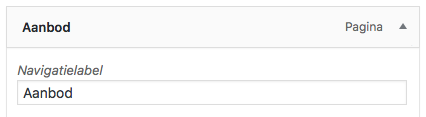
I’m currently using another menu, but if you login and look at the menu’s, I want the “primary menu” to work again. But I can’t seem to keep the “Automatically populate with child pages” button checked on the menu items. So something is resetting them again after I save the menu.

Hi there,

You’re right, but this is not theme related. I Installed a 2017 theme and activated it, then deactivated the cornerstone and it’s still the same. You may want to disable your plugin one by one while check if the issue still persists, or if your host has internal cache then please clear it too.

Thanks!

All right, so could it be Cornerstone related, then? Because I think it has something to do with the extra options it offers to the menu. Could I disable this function in Cornerstone?

Hi There,

Cornerstone is a required plugin for X theme to run smoothly. We cannot disable it. Also, as stated on the previous reply I Installed a 2017 theme and activated it, then deactivated the cornerstone and it’s still the same. even with other theme and Cornerstone is already deactivated, the issue still persists.

This topic was automatically closed 10 days after the last reply. New replies are no longer allowed.