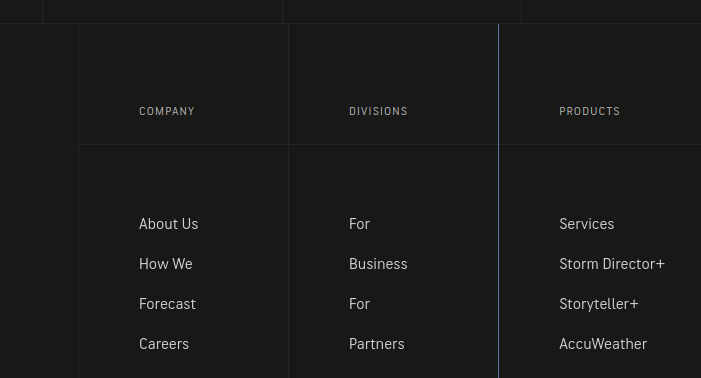
Pixel Perfect Column Alignment

In the footer, the company and divisions right side border is one pixel to the left if the image row above it. It is supposed to line up like a grid. Very hard to notice. I tried expanding the column width to 241 from 240 but nothing changes.

Any ideas on how to line this up?

Similarly the logo column right border does not align on this page.

Hello @verobeachmarketing

Thanks for writing to us

I checked the footer of the site but I am unable to find the issue. Right side borders aligned properly. Please check screenshots. If I miss something to recreate the issue please share a screenshot with marking the issue.


3

Thanks

This is what I see…

Hey @verobeachmarketing,

It seems that you are using line element to add the lines. I am seeing this:

Right above it, I am seeing this:

Are you trying to align the lines in the footer with the lines added in the section above?

Thank you in advance for the clarifications.

This topic was automatically closed 10 days after the last reply. New replies are no longer allowed.