Hello,
I’ve integrated a schedule module from Calendly on this page of my website. It works fine on desktop, but I have some problems on mobile.
Here is how it should look like (screenshot taken from Cornerstone Builder):

However:
- the part marked in red is missing
- there is slighly scroll effect on it.
- the border of the calendar is missing
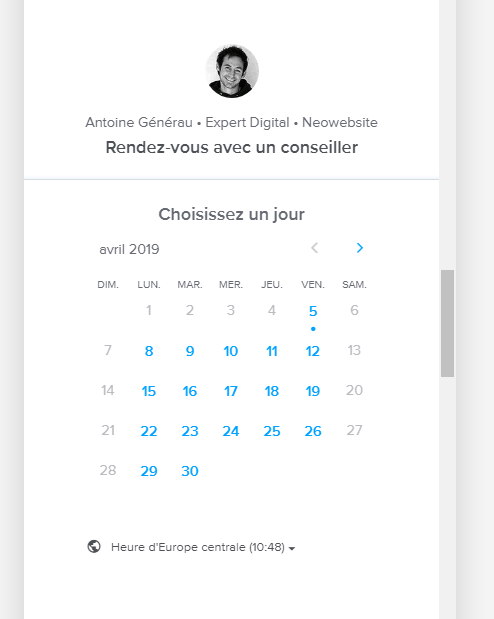
How can I fix those problems? The Calendly module is integrated with a raw element:
<!-- Début de widget en ligne Calendly -->
<div class="calendly-inline-widget" data-url="https://calendly.com/lecoqdigital/30min" style="min-width:320px;height:880px;"></div>
<script type="text/javascript" src="https://assets.calendly.com/assets/external/widget.js"></script>
<!-- Fin de widget en ligne Calendly -->
Thanks,
Antoine