Parallax problem (decreased heigth and no movement)

Hi,

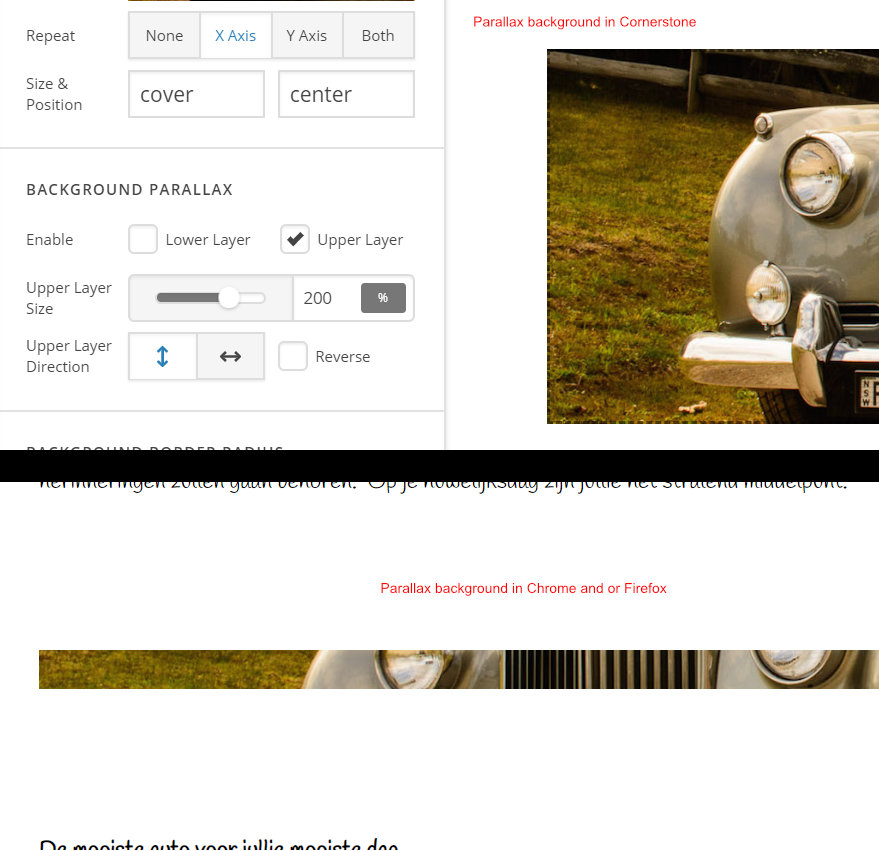
Adding a parallax background in Cornerstone seems to work, the background “moves” while scrolling the page. After saving the page the parallax height is much smaller and the image does not move while scrolling the page. Tested with Chrome and Firefox. Reading the post https://theme.co/apex/forum/t/x-pro-image-parallax-effect-issues/41473 but there is no option to choose classic section in the latest version of Theme X.

Is this a theme issue or am I doing something wrong?

Regards, Hans.
Hi Hans,

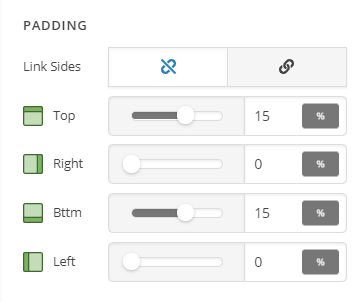
Thank you for reaching out to us. I see you’ve added a background to your column and it has no content that’s why there is almost no height, to fix this, inspect your column and set Top and Bottom padding to 15% or as per your need (see screenshot)

This will increase the height of your column and the parallax scrolling effect will be more visible. If you want to add a classic section, simply press and hold ctrl key (in windows) or cmd key (in Mac OS) while hovering on Add Section, it will be changed to Add Classic Section, click on it to add a classic section.

Hope this helps!

Hi Nabeel,

Thanks for helping, did what you adviced and my problem is solved!

Regards, Hans.

You’re welcome, Hans. Glad we’re able to help.

This topic was automatically closed 10 days after the last reply. New replies are no longer allowed.