Parallax background moved up in Cornerstone preveiw, after the update

Hi!

I am about to upgrade this website to X 5.2.3.

I have done it on the sandbox site, and it works fine:

http://courageous-pheasant.w5.poopy.life/ (Will expire within a week).

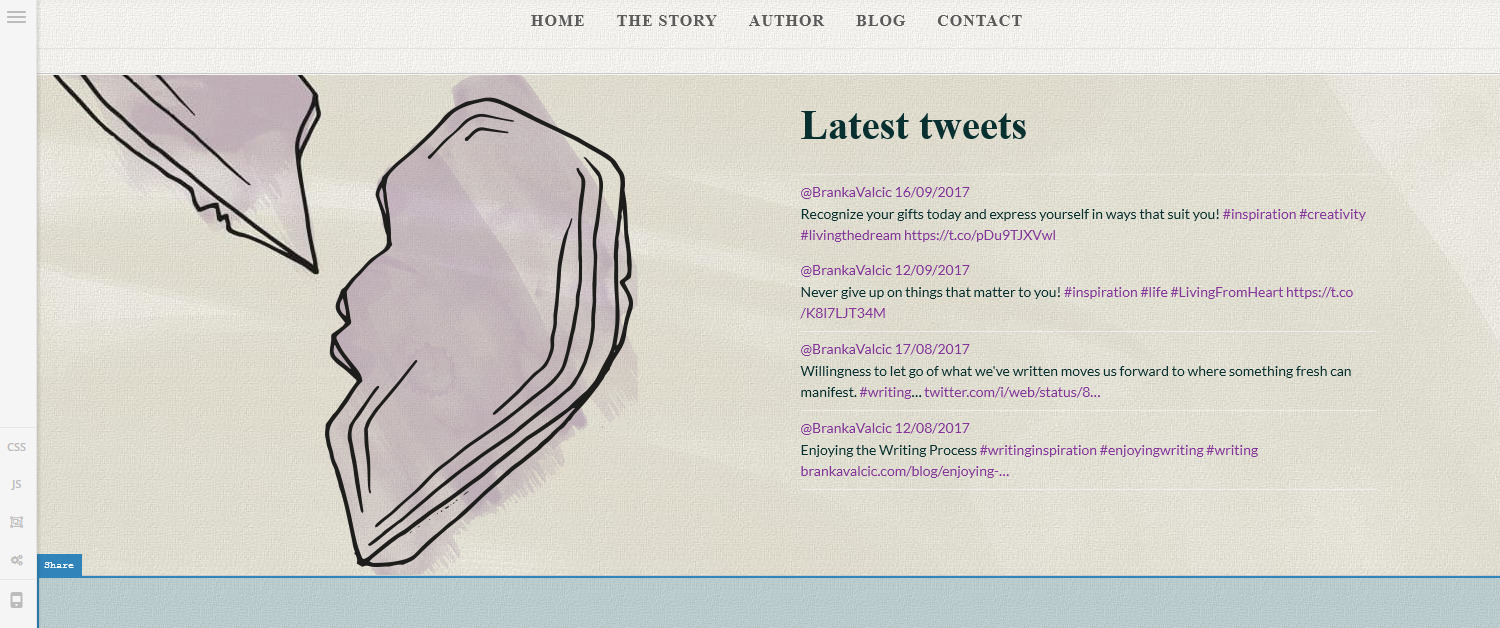
I have noticed that on the updated version, Parallax preview in Cornerstone is way up, compared to the pre-updated X. It also doesn’t correspond to actual front-end preview. Old Cornerstone parallax preview was accurate.

Note the left part of the heart graphic on the screenshot: it is off-screen in New X, and it is right where it should be, in old Cornerstone:
Thanks!

Hi,

To adjust the position, you can add the code below in the style field of your section element.

background-position: 50% 0px !important;

Change 0px to achieve your desired position.

Thanks

Hi,

I am sorry for not being clear enough.

Your suggested code would move the background out of place, and now it is right where it should be, on the front-end.

I am reporting an inconsistency between old and updated X, in the way it shows the Parallax inside Cornerstone.

It is moved up, Inside Cornerstone. It wasn’t displayed like this before. It still displays correctly on the front-end.

Due to the wrong place in Cornerstone, it is much harder to work, as the preview doesn’t match the real thing.

Thank you!

Hello There,

Thank you for the clarifications. I can see the issue. It seems that the parallax is not working inside Cornerstone. I’ve submitted this to our issue tracker so the developers will be made aware of it and investigate further.

Please bear with us.

This topic was automatically closed 10 days after the last reply. New replies are no longer allowed.