Paragraph spacing issue

Hi Guys,

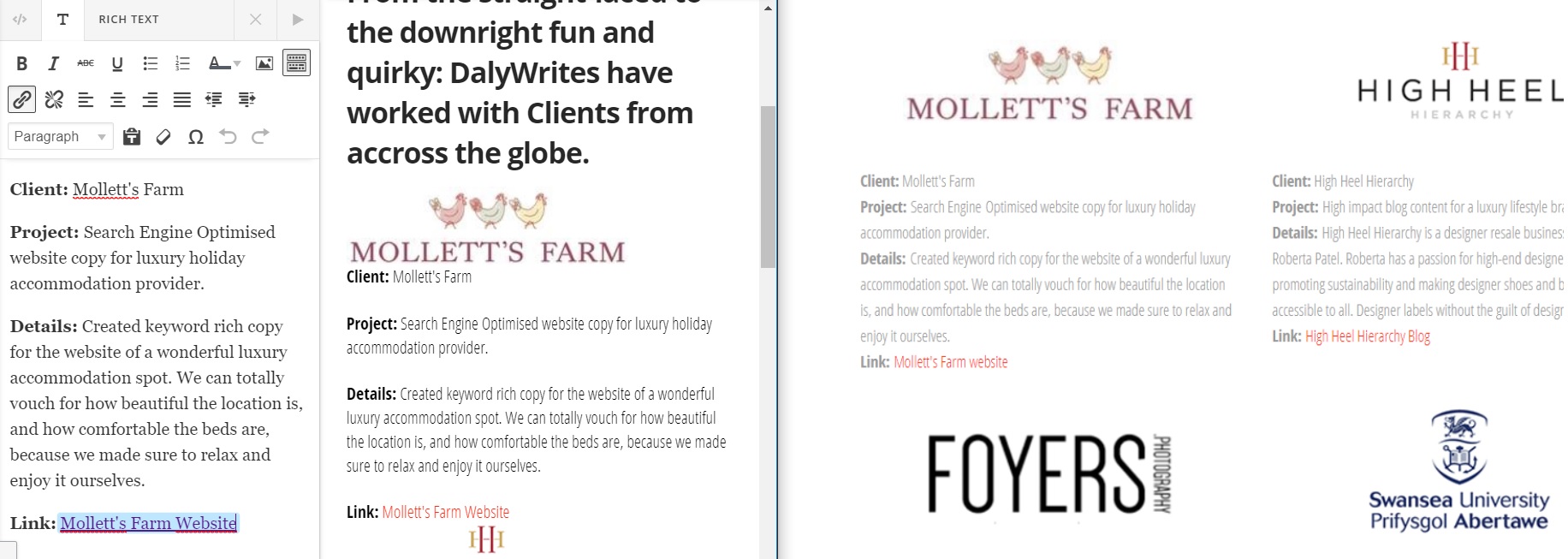
I am having a bit of trouble with paragraph spacing.

I want to make my current content look like the image on the right.

I worked previously before I deleted the page but I can’t seem to figure out how to get it back.

Image attached.

TIA,
Niall
Hi Niall,

That might be the default parapraph bottom margin. Go to Customize Tab > Element CSS. Try to add this:

$el p{
  margin-bottom: 5px; /*Adjust 5px to your preferred paragraph bottom margin*/
}

Hope this helps.

Hi Lely,

sorry i didnt see this reply.

Thanks! That works great. But I am wondering if there is a more universal way to do it? I find the paragraph spacing to big across my site.

Thanks!

Hi Niall,

Those CSS resets default bottom margin of paragraph tags. If you want it to reset sidewide, try this CSS instead and add it on Theme Options > Global CSS:

p{
margin-bottom: 5px; /*Adjust 5px to your preferred paragraph bottom margin*/
}

Hope this helps.

This topic was automatically closed 10 days after the last reply. New replies are no longer allowed.