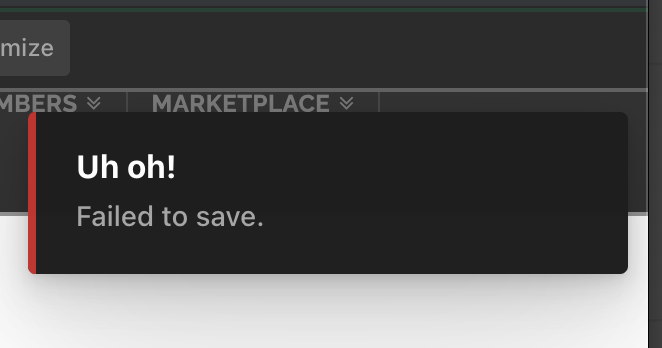
For some reason I can’t get pages to save after making changes. https://nebraskakma.com/membership/.
Hi @rkassebaum,
Thank you for writing in, please do the following first:
-
Ensure that you are fully up to date. WordPress, Theme, and Cornerstone (Version Compatibility)
-
Clear all the site caches (plugin, server-side, CDN, and browser’s cache) so that the code from the latest release is always in use. This will help you to avoid any potential errors. While you’re at it, please deactivate this caching feature while we tackle this issue.
-
Test for a plugin conflict. You can do this by deactivating all third party plugins, and seeing if the problem remains. If it’s fixed, you’ll know a plugin caused the problem, and you can narrow down which one by reactivating them one at a time. If you have Yoast SEO, please try deactivating that plugin first and test if that resolves the issue.
Let us know how it goes,
Cheers!
I actually slowly turned off plugins and still have the same issue of it not saving. Are you able to take a look?
Hi @rkassebaum,
It might be due to the improper update of the Cornerstone plugin. I would also suggest you follow the below steps while updating to the latest version of the Cornerstone.
- Delete the Cornerstone existing one
- After deletion please use the link in the dashboard to automatically install the Cornerstone.

Please clear all type cache including the Style Cache from Cornerstone > Settings > System > Clear Style Cache and check in the incognito/private mode of the browser.
If that does not resolve your issue, there might be some different reasons behind your issue. I would like to suggest troubleshoot the following common issue to help us to recognize the reason.
1.Theme Related Issue
2.Plugin Conflict ** if you have not done it yet
3.Theme Update related issue
4.Child Theme Related issue
5.CSS/JS Customization
6.Disabling Cache
7.Disabling CDN
If none of the above helps, please provide login credentials for your site in a secure note to examine it further, including:
– WordPress Site URL & Login URL
– WordPress Admin username/password
To create a secure note, click the key icon underneath any of your posts.

Thanks
This topic was automatically closed 10 days after the last reply. New replies are no longer allowed.