Pages don't show up

Dear Apex,

If I open a new page I can edit and save it perfectly, when I look at the preview it doesnt show any section (like there is no page) Also when I logout and go to the page its completely blank. Like this:
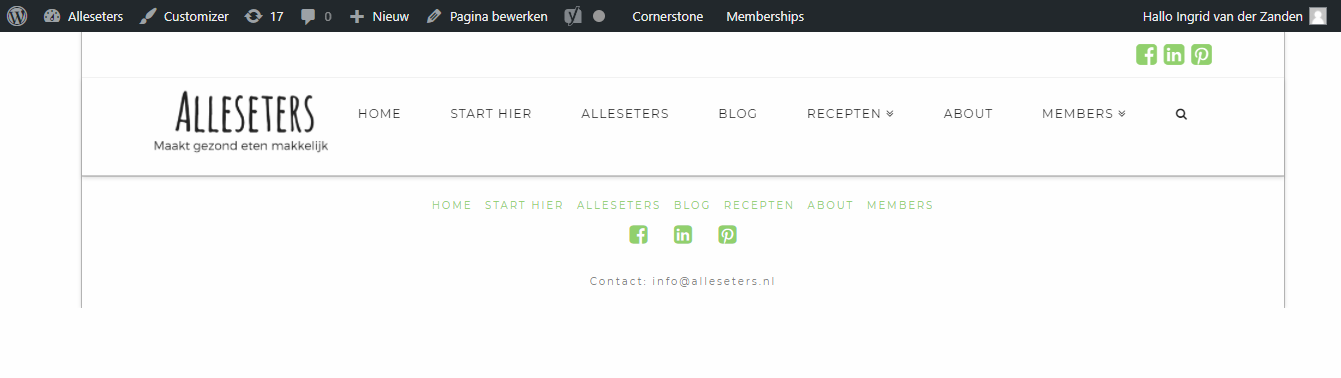
I hope you can help me.

Kind regards,

Ingrid

Hello Ingrid,

As we do not have access to your WordPress Dashboard we can not make sure what should be the cause of the issue. Please kindly get back to us with the URL/User/Pass of your website to follow up the case. Meanwhile kindly follow the steps below to troubleshoot some common cases and get back to us with the result:

  • Make sure that you use the latest version of the theme and the Cornerstone, if not kindly update them
  • Purge all caches if you have a cache plugin
  • Check for possible 3rd party plugin conflict by deactivating all plugins except Cornerstone. If the problem is fixed then kindly activate them one by one to find the plugin responsible for the problem.
  • Is the problem only happening to one page or all pages? If only it is in one page that seems to be a corrupt one so try to recreate the page

Thank you.

Hello Bappi,

Thanks for your response. I tried all the above, but the problem wont go away. The problem is happening on all new pages. The pages that already excisted are showing up perfectly.

http://alleseters.nl/mini-spinazie-quiche/ this is a new page that stays blank.

Hope to hear from you,

Kind regards, Ingrid

Hi there,

You have to update your theme since you already updated your cornerstone. It will not work until the correct version matches.

It’s either

  1. Update your theme to match the latest cornerstone, but since you’re coming from the older version then there could be more issues.

  2. Delete your cornerstone and let the theme install the correct version for itself

Thanks!

This topic was automatically closed 10 days after the last reply. New replies are no longer allowed.