Page titles dissappear when set up header on pro

When I set up new header using pro, all the page titles on my pages disappear for some reason. How can I keep the page title visible on pages?

Also I´m unable to change the background color for the dropdown menu. I mean I can change the color on editor but it doesn´t work. When I change the font size or width it works fine.


Hey @ukic,

The page or post title is part of the classic header. That is replaced by the Pro header once you use one.

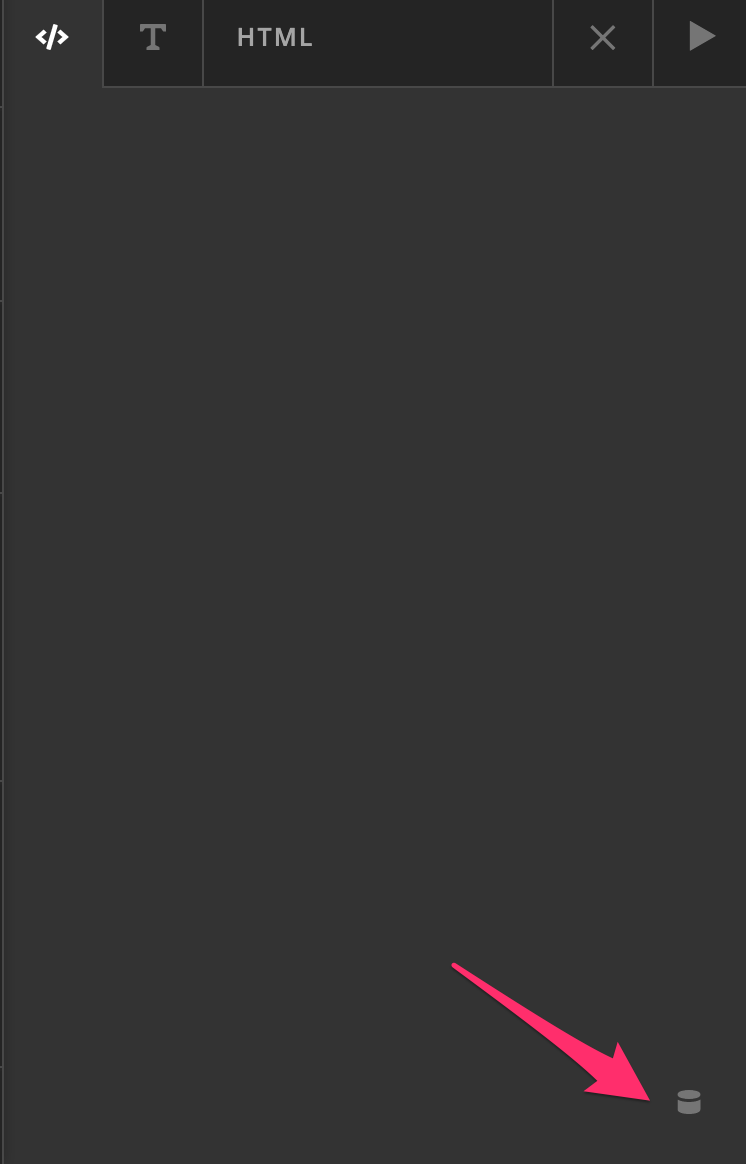
There’s no option to keep the classic header’s title. The solution is to create and assign a Header for Single Posts and within the header, add a Headline element and setup the Post Title Dynamic Content within the Headline. You can read more about the Dynamic Content feature in our Changelog.

Hope that helps.

I’m having the same issue. For the life of me I can’t find the text set up box where based on the linked article I can access the Dynamic Content feature. I see text content margin, text format, text style, text shadow. I’ve spent two hours trying to figure this out, and here I thought I was pretty experienced and intuitive. Please help.

Hi Thorsten,

Please see the screenshots below:

Hope this helps.

This topic was automatically closed 10 days after the last reply. New replies are no longer allowed.