My page titles see to be missing from my navigation bar. How do I get them back? I can still click on them and they work, there is just no text. This site is not using Pro and it is using the Icon stack.
Thank you so much for your help.
Hi @ktehle,
Thanks for reaching out.
Are you referring to menu items and the page menu items are gone? Or is it the text logo?
If it’s the page menu items then you can always manage it in Admin > Appearance > Menus, if it’s a text logo then you’ll have to remove the image logo for it to appear.
If not, please provide more information on what page title should we looking.
Thanks!
Hello @rad,
Thank you for getting back to me. Sorry, it took me so long to respond. It is the page menu items that are not showing up. I have deleted and recreated my menu from scratch. I can still click on where the menu items should be visible and they work/go to the correct page. I just can’t see my menu (it is just a blank space).
Thanks!
Hey @ktehle,
I see your desktop menu. Are you looking at a mobile screen? This could be due to incompatibility between the new X version and an old version of Cornerstone. Please first ensure that everything is up to date especially X and Cornerstone according to our version compatibility list at https://theme.co/docs/version-compatibility. Please follow the best practices when updating your theme and plugins. See https://theme.co/docs/how-to-update for more details.
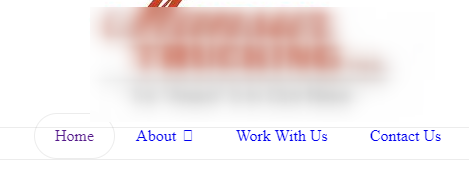

Please then clear your browser’s cache or check your site in incognito mode or other browsers.
If that doesn’t help, please go to Theme Options > Miscellaneous and enable all Font Awesome Icon Weights.
Hope that helps.
Thank you so much for your help! It worked.
Have a wonderful day!
Hi Ktehle,
It’s our pleasure to help you.
Thank you.
This topic was automatically closed 10 days after the last reply. New replies are no longer allowed.