Page editing/template questions for

So many questions… I got my homepage looking perfect with Cornerstone. But the rest of the site already has content on it so I was trying to not use cornerstone to edit. the content. Can I create a design in Cornerstone and then change the template on an existing page to make that work?

Also I couldn’t figure out why I had this grey across the top of the page until I made it less wide and suddenly the breadcrumb appeared in it! How do I get the breadcrumb in here all the time?
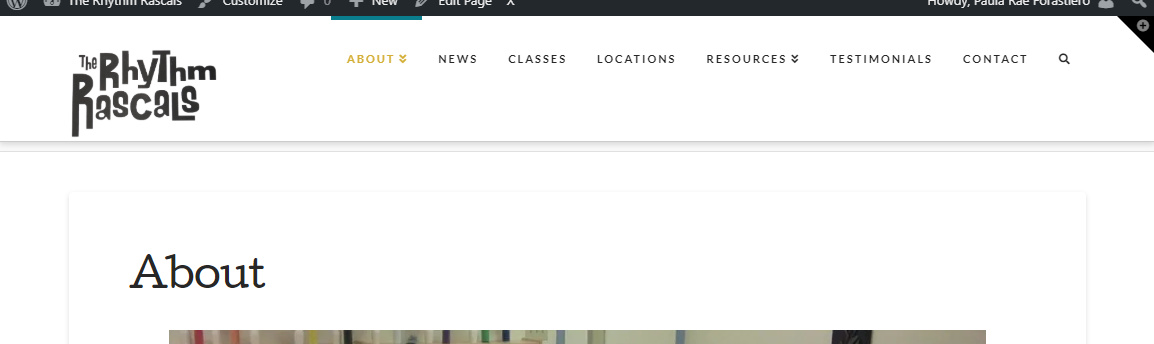
Also how do I change color behind the content box on the inside pages) without changing my homepage.


Hello @pforastiero,

Thanks for writing in!

Please be aware that Cornerstone is a page builder. You use Cornerstone to created or edit a page individually. You can not use it to edit one page and expect the rest will be the same. And also, be advised that each page is using the default page template which will come from the Theme Option’s settings, X > Theme Options > Layout and Design > Content Layout. The cornerstone will only be applicable to the content area and not the whole page layout. It is governed by the the page template. In most cases, we highly recommend that you use Blank - No Container | Header, Footer page template if you are using Cornerstone in creating the page content.

The breadcrumb can be turn ON/OFF in X > Theme Options > Header > Miscellaneous. And make sure that you define the Navbar Top Height properly in X > Theme Options > Navbar. At the moment, you only have 90 px where the actual header height is 136 pixels. This is also the reason why the breadcrumb is hidden behind the navbar.

Hope this helps.

Thanks for the header tips, those worked.

But now the seconary nav is really far below the main (see About and Instructors). Is there a way to tighten this up?

Hi @pforastiero,

Please add this to Theme Options > CSS

.x-navbar .desktop .x-nav > li ul {
	top: 65px;
}

Please keep in mind that you might need to adjust this base on your Theme Options > Header > Navbar Top Link Alignment

Thanks,

Perfect, Thanks!

We are delighted to assist you with this.

Cheers!

This topic was automatically closed 10 days after the last reply. New replies are no longer allowed.