What is this area called and how do I change the color from white?

Hello Sean,
Thanks for writing to us.
To change the background colour of the "Recent Post " section, you can go to the section and set background Color.
Screenshot
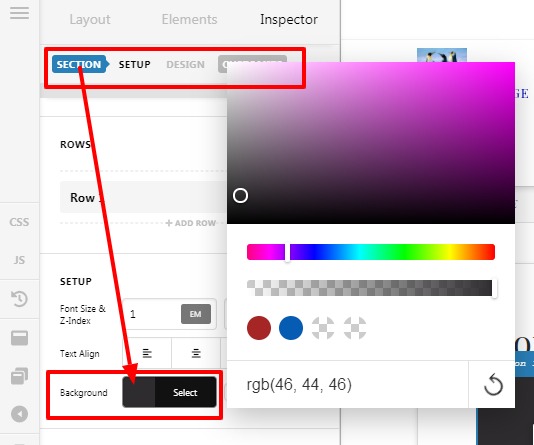
In case if you are talking about to change the entire background to your brand colour, add this custom CSS code under X/Pro–>Theme Option -->CSS

.page-template-default .entry-wrap {
    background-color: #1d0d29;
}
Please change the color code as per your design
The purpose of providing the custom CSS to show you how to add CSS code to your site. Writing custom CSS is outside the scope of our theme support. If you need more customization, you need to learn CSS and learn how to use the browser’s element inspector.
Thanks
This topic was automatically closed 10 days after the last reply. New replies are no longer allowed.