Hi. My website’s page alignment is off when viewed on a tablet, as you can see here. Seems to be the case for all my posts. How can I quickly resolve this to ensure the left and right margins are equal? As you can see below, it skews to the right.
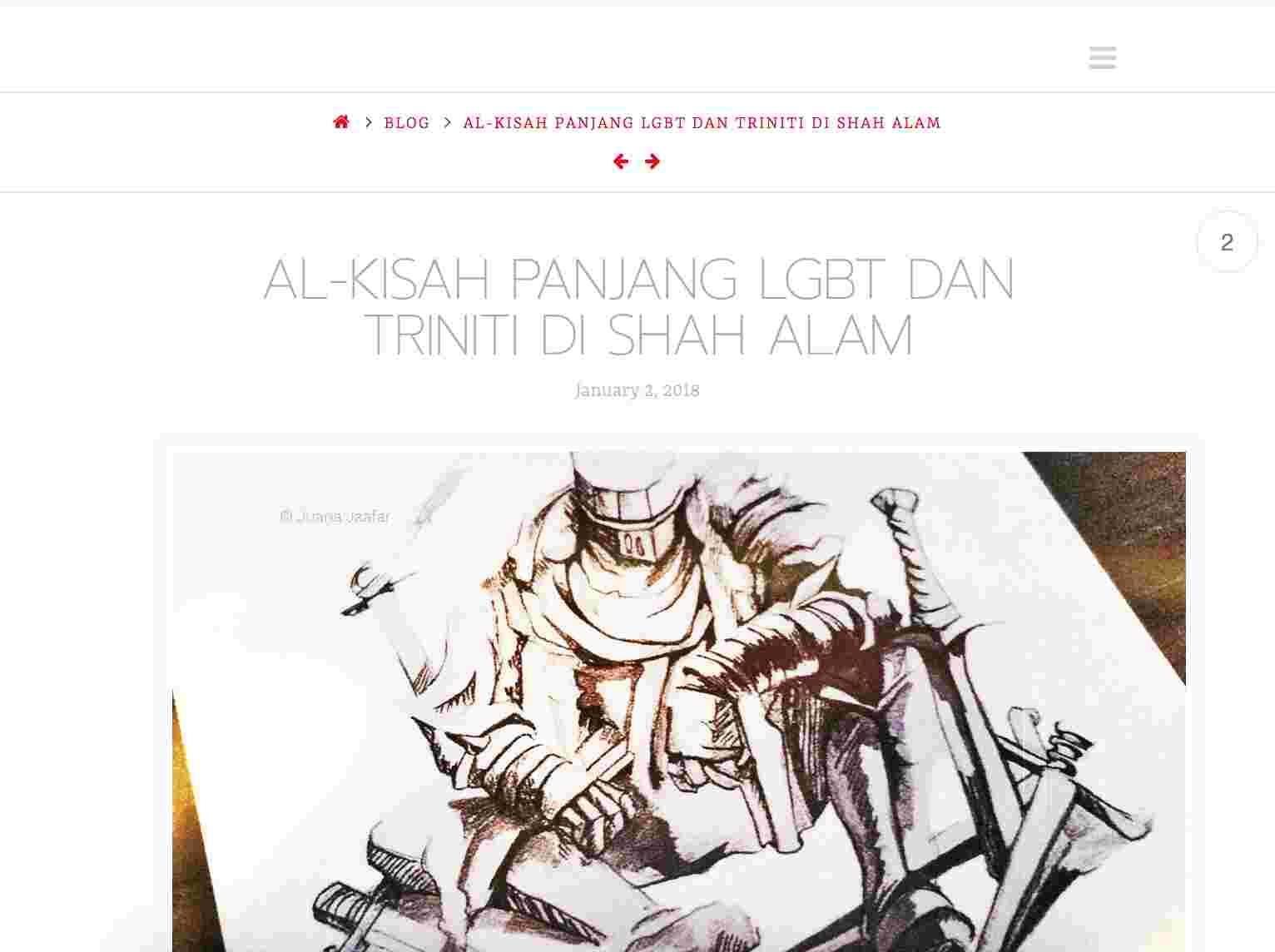
Hi. My website’s page alignment is off when viewed on a tablet, as you can see here. Seems to be the case for all my posts. How can I quickly resolve this to ensure the left and right margins are equal? As you can see below, it skews to the right.
Hi there,
I checked your website and I see a custom CSS code added to your website which is causing the issue:
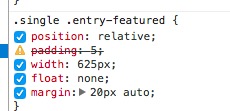
Please remove that code. Thank you.
Hi. I did as you asked and it got worse. Check out the right margin here.

Hi There,
To fix this issue, please add this custom CSS:
@media (max-width: 767px){
    .single .entry-featured {
        width: 100%;
    }
}
Hope it helps 
Perfect! Thanx so much for helping out.
Glad it’s working
This topic was automatically closed 10 days after the last reply. New replies are no longer allowed.