Only some posts have "Read More" link on blog page

Hello,

on my page using the Integrity 1 stack, only some of my posts on the blog page have a “Read More” link at the end of the teaser. I have no idea why this is the case. There is nothing in the settings to change this. Also this doesn’t seem to follow any pattern. I don’t know why some of the articles have the “Read More” link but most don’t. Can you help me with this?
Hi There @Muller

Thanks for writing in! I have tried to login to your site, but I’m getting the following error.

Only registered and logged in users are allowed to view this site. Please log in now.

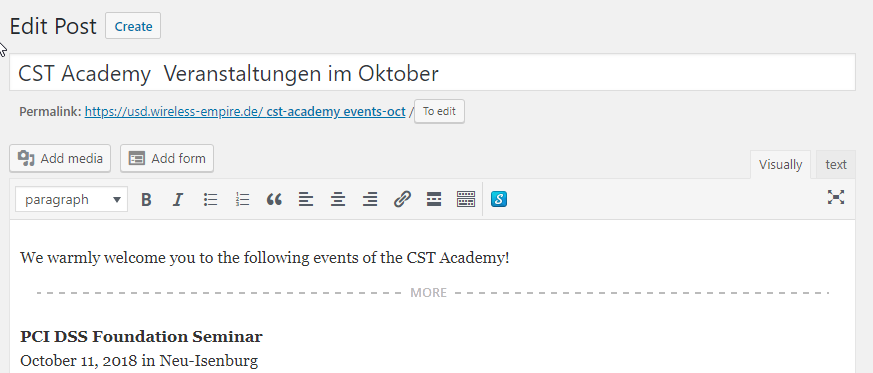
With regard to your original issue, if you have created some posts using Cornerstone, you need to set your excerpts manually. If you don’t have any posts created using Cornerstone, try disabling your 3rd party plugins and see whether you’re experiencing a plugin conflict.

If you’re still having issues and if you’re using a child theme, you can switch to your parent X/Pro theme and see if your customizations added to your site caused this issue.

Let us know how it goes.
Thanks!

Hi @mldarshana,

the posts where not created with Cornerstone. They have been there before I installed the X Theme even.

I tried the things you recommenced to do. I disabled every plugin and also changed to the original Theme instead of using the child theme, but both didn’t solve the problem.

I wonder why the login doesn’t work that I provided. It works when I use these credentials. Anyway I created a new instance of my site for the purpose of fixing this problem, so everything can be changed there without breaking anything.

Can you try logging in to this site? I provided a new secure note.

Hi There,

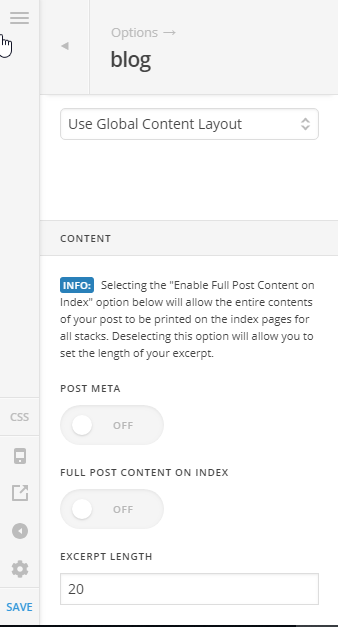
Currently, your excerpt length is 60, I reduced it to 20 and some read more buttons appear:

Please increase your excerpt to show all the read more buttons.

Regards!

This topic was automatically closed 10 days after the last reply. New replies are no longer allowed.