Hi, I would like to be able to remove the part of the page indicated by the arrows in the attachment, keeping only rev. slider and header menu.

Hello @bioweed,
Thanks for asking. 
To achieve the layout, you can edit the page in Cornerstone and open the settings panel by clicking on the cog icon. Under General > Page template select Blank - No Container | Header, No Footer.
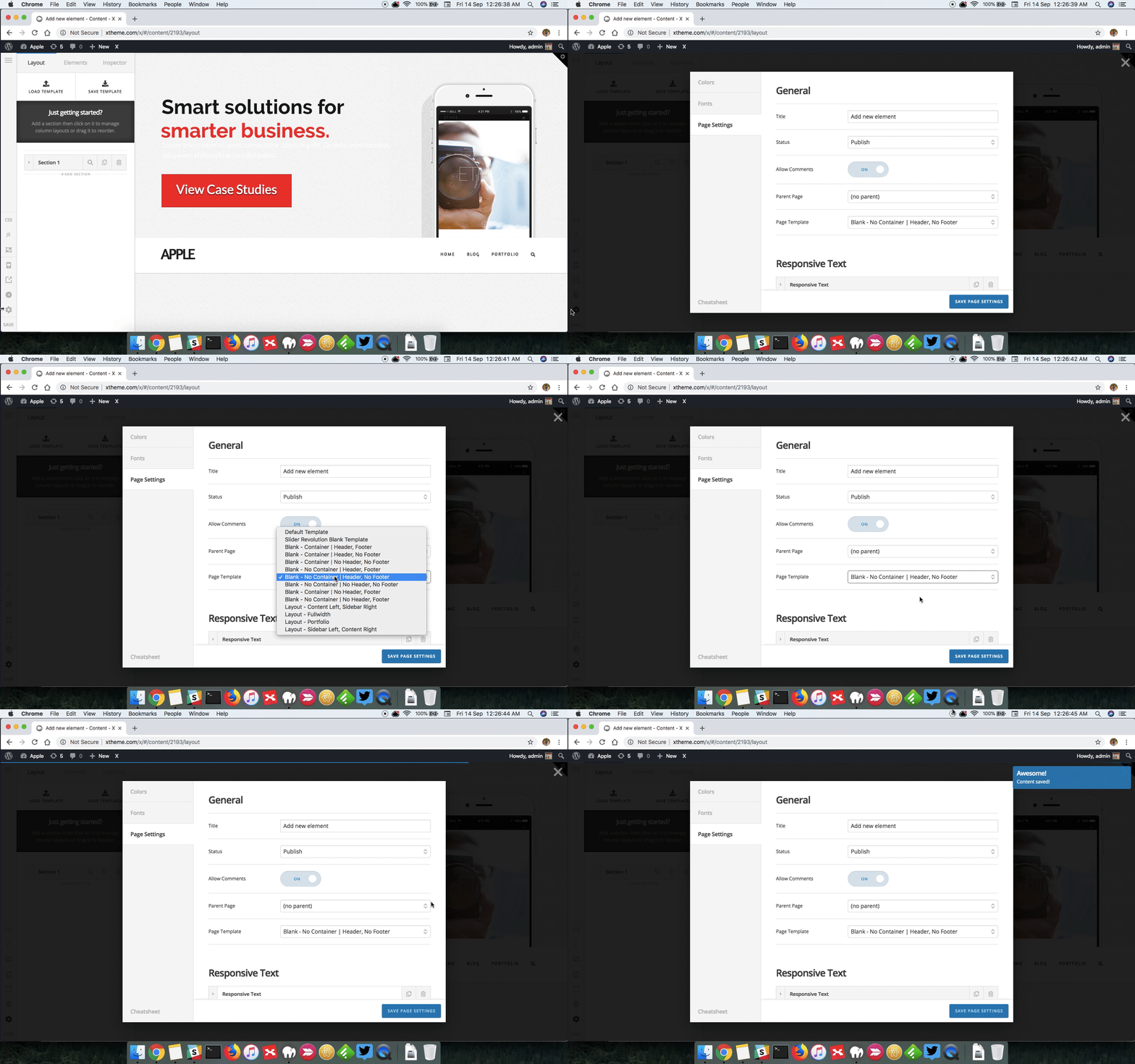
After that please add following CSS under page in question CSS editor:
.x-main.full {
    display: none !important;
}

1 Like
This topic was automatically closed 10 days after the last reply. New replies are no longer allowed.