Hey @bluetroop2,
I’m sorry but I couldn’t replicate the issue in my sites where past sliders are still there and I’m using the latest bundled version.
There must be something in your site that erased some of LayerSlider’s data. That could be a 3rd party plugin or a database operation of your web host. The best solution here was provided by my colleague previously and that is to revert your site from a working backup.
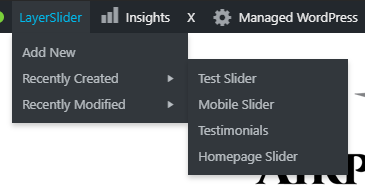
If you that’s not an option for you, the only way to access your previous sliders is through the LayerSlider Admin menu or by accessing the slider editor directly by appending this to your domain /wp-admin/admin.php?page=layerslider&action=edit&id=1. That last part of it which is id=1 is the ID of the slider. 1 also means the first slider your created.
Regretfully, we can do nothing for this as we do not know the cause and we can’t replicate the issue in our test sites.
Hope that helps and thank you for understanding.
