One page shows no Background images on Safari

Hi!

I am about to launch a new website and have one problem left, that I struggle to solve:

The Native French language Homepage displays normally in Safari. The English version of the same Homepage (Same CSS and structure) under the /en/ folder, doesn’t display background images.

Some bg images are controlled by media queries (Hero), and some are done by native Section background options. Neither of them are displayed normally.

I have searched other threads and tried this recommended CSS:

.x-bg .x-bg-layer.x-bg-layer-image {
    z-index: 0;
}

However, that didn’t made any difference. I have tried also removing all global Custom CSS, and that didn’t helped either. I have also tried with all plugins off.

Do you have an idea what could cause such behavior?

Thank you!
Hi @Misho,

Thanks for reaching out.

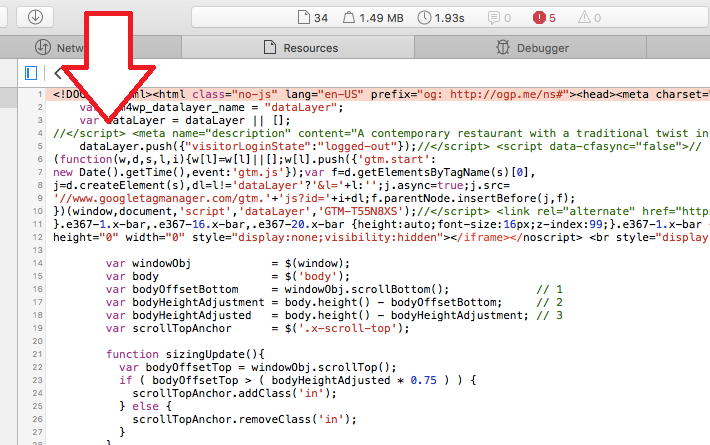
Could you try disabling the google tag manager plugin and test it again? The reason for that is this part

<!DOCTYPE html><html class="no-js" lang="en-US" prefix="og: http://ogp.me/ns#"><head><meta charset="UTF-8"><meta name="viewport" content="width=device-width, initial-scale=1.0"><title>Restaurant &amp; Bar | Core Bruxelles</title>  <script data-cfasync="false" type="text/javascript">//
	var gtm4wp_datalayer_name = "dataLayer";
	var dataLayer = dataLayer || [];
//</script> 

There is a // before </script> that convert the closing tag as a comment, hence, leaving the entire script block unclosed.

Or if it’s a custom code then remove it and test it again.

Thanks!

Hi!

Thank you for your fast response!

This issue was present before installing GTM. I have tried now without it, but that isn’t helping.

Also, GTM is outputted globally. This problem affects only this page.

Hi @Misho,

Perhaps there is a customization that compresses the code into few lines like minify? Please check this screenshot directly from Safari

The // disable the </script> affecting all other elements below it.

I also changed your Google Tag manager from Codeless injection to Footer of the page, then cleared the cache. But it has no effect, it still appears on top instead on the footer. Perhaps that code isn’t related to Google Tag Manager?

Thanks!

Hi!

I understand. That is the standard code outputted on all websites where GTM is present.

<script data-cfasync="false" type="text/javascript">//<![CDATA[
	var gtm4wp_datalayer_name = "dataLayer";
	var dataLayer = dataLayer || [];
//]]>
</script>
<!-- End Google Tag Manager for WordPress by gtm4wp.com -->

However, that same code is outputted on the French Homepage too, and the Background Images are working there.

Also, I have disabled the GTM altogether, which removes this code, and the problem persists. So I think it is safe to say that it is not it.

Very wired.

Hi,

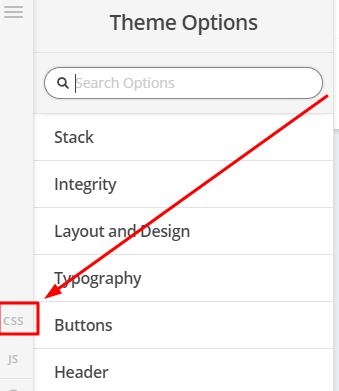
To fix it, you can try adding this in Theme Option > CSS

.x-bg-layer-lower-image:not(.x-column .x-bg-layer-lower-image) {
      display:block !important;
}

Hope that helps

@paul.r, that did it!

Out of curiosity, do you know why would a page behave like that? Was it my fault?

I have tried to remove all customization to make sure it wasn’t me, but I haven’t found any obvious reason why it happened.

Thanks!

Hi,

No, it’s not your fault, in safari I can see that it is adding this css code.

.x-bg-layer-lower-image:not(.x-column .x-bg-layer-lower-image) {
      display:none !important;
}

Not sure why, but I can’t see this code in chrome. I will continue to test this in my test site.
So to override it, you needed to add the code that I provided.

Thanks

1 Like

This topic was automatically closed 10 days after the last reply. New replies are no longer allowed.