Hi, I had my one-page nav working fine using the following code:
Menu item - History
Text box to which it links deeper in the page:
See old page in which this works: https://www.tellasia.org/ourwork/rescue-educate/ except the link I tried to change, “our work” no longer functions. Also on a new page I’m buildin none of the links work. - https://www.tellasia.org/about-us/
Please check what’s wrong.
Hi There,
I checked https://www.tellasia.org/about-us/ and could not find any session with the correspondent IDs
I have added the ID mission to your first row and the link is working as expected.
please add the other links accordingly.
Thank you
Hi Joao,
Thank you for your help. To my knowledge the only way to create one-page navigation is to make extra (invisible and therefore very hard to find) text boxes containing the code. The only way to see those text boxes where the nav code is, is to turn off live view by clicking the box thing between JS and the gear icon in left menu bar. In the new Cornerstone, since there are no Section or Row headings in this back-end view, I find it almost impossible to find where things are! I just spent half an hour trying to figure out where your code is at which makes “MISSION” element function. Could you please tell me how to find it, so I can copy it for the other items? Is there no way to create one page nav without going into the back-end view and creating extra (invisible and therefore very hard to find) text boxes containing the code?
Hi There,
The only thing you need to do is to add an ID to your sections or rows or any element actually.
You will find the ID tab on the Customize Tab of your Section or Row
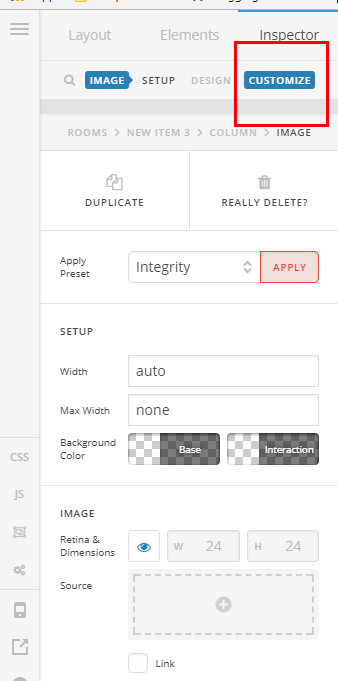
Once you click on this customize tab you will find the ID BOX
You will add : mission
And you will link to #mission
That is all. Note the IDs are case sensitive.
Hope it helps
Ok thanks I see where to put the code… HOWEVER note that I have no “customize” option, instead a big black box saying that “classic elements” have less customizability. This is really worrying me because as I have put MONTHS into building this, so I hope there’s a way to transfer the old elements into the new /// to get rid of this error mssg/reduced customizability.
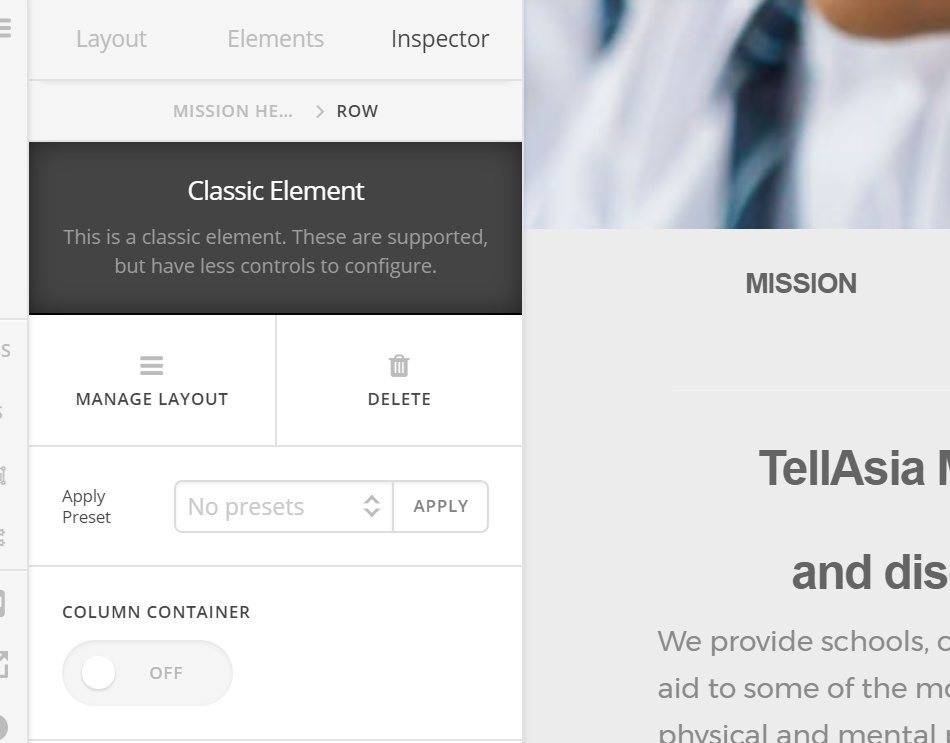
It’s also doing weird things like not allowing me to add an image on a page - this is true of a page made in the old Cstone AND ALSO of a brand new page. For example see https://www.tellasia.org/testing-new-cstone-oct-2017/ (brand new page) I added an image and some text and it shows that it saved, however nothing shows up in the preview OR on the actual live page. This kind of monkey business NEVER happened in the old Cstone. I’ve cleared cache and same issue.
Hi there,
The issue is that you have updated your cornerstone, but not the theme. There are features that aren’t working because of that. Please update your theme first, or simply delete your current cornerstone and let your current theme install it. In the old version, there is no customize option but still, the ID option is available at the bottom of the inspector sidebar (you can scroll it down).
Thanks!
This topic was automatically closed 10 days after the last reply. New replies are no longer allowed.