Hi,
here is the link to the specific page. I’m not sure what causes the problem, as the rest of the website looks okay.
Also, the page title displays on the page, and it’s not supposed to.
Could you have a look, please?
Thank you,
Pawel
Hi,
here is the link to the specific page. I’m not sure what causes the problem, as the rest of the website looks okay.
Also, the page title displays on the page, and it’s not supposed to.
Could you have a look, please?
Thank you,
Pawel
Hi There,
Thanks for writing in! Upon testing, I see that your child theme is corrupted.
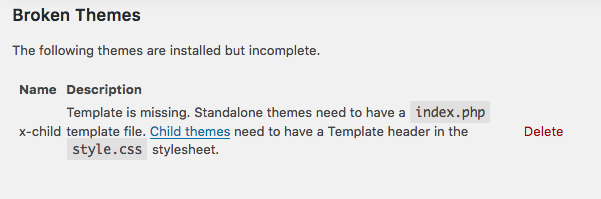
I have switched to your parent theme and then I was able to select full-width template for that page.
If you have any child theme customizations, copy the template files in your child theme, re-install your child theme and then you can add those template files back.
Hope that helps.
Thank you,
I don’t think I have, as the website looks the same now.
I also have another question regarding a table featured item color (on the same page), if I can in this thread.
If I turn on the featured item in the table, the header it’s bright red, I’d like to change it to suit the rest of my colors. How do I change it?
Hi There,
Sorry for the confusion!
For the page template, you have to choose blank container | Header and Footer template.
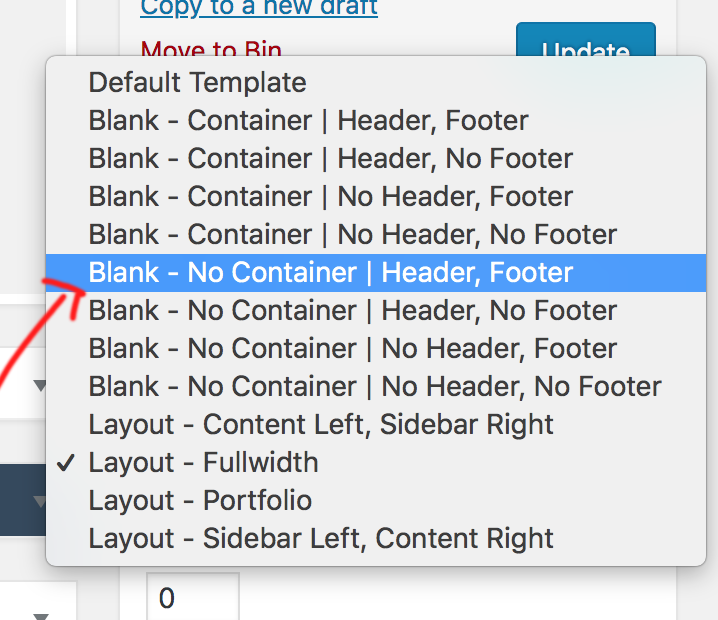
Then it will look like another page.
When I turn on the feature item on the table, it’s only showing your site. color instead of bright red that you have mentioned above.
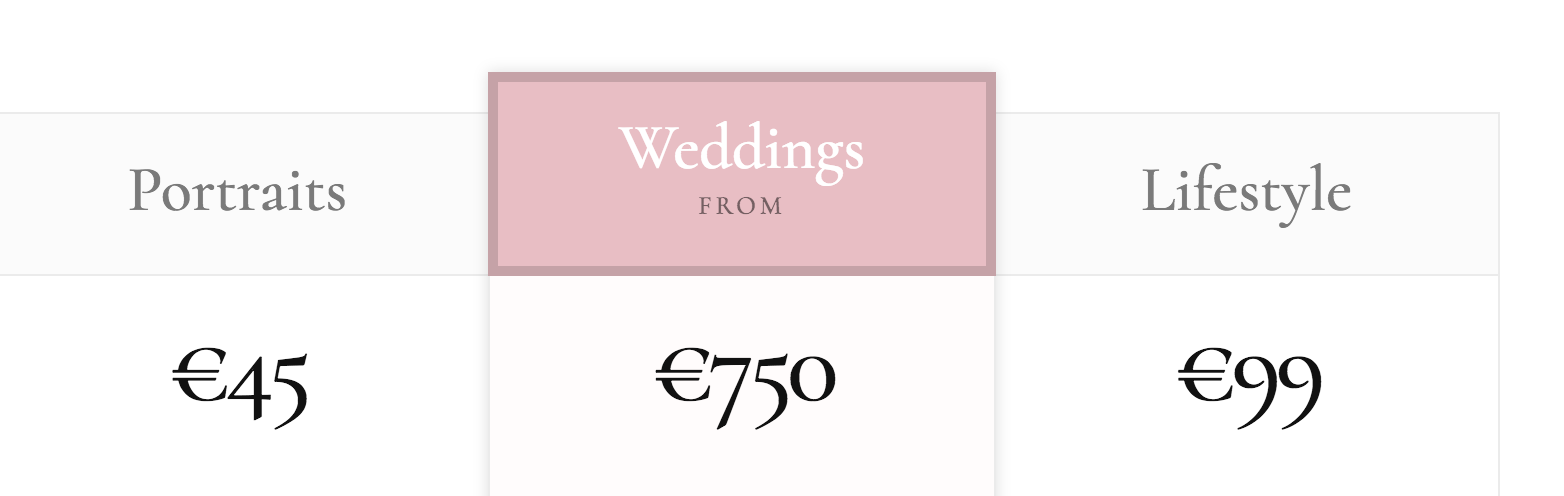
Please clarify the same.
Thanks
Yes,
it’s working again with right colours. Can I also remove/change colour of the rectangular border around the pink background in the header?
Hi @pablo102,
Yes you can. Use this code below in your Theme Options > Custom CSS:
to remove:
.x-pricing-column.featured h2{

     box-shadow: none;
}
to change:
.x-pricing-column.featured h2{

       box-shadow:inset 0 0 0 5px rgba(0,0,0,0.15);
}
Hope it helps.
Let us know how it goes.
Thanks.
This topic was automatically closed 10 days after the last reply. New replies are no longer allowed.