Hi John,
Yes, I can see it from the source code of the site. https://screencast-o-matic.com/watch/cqj11TOK9w
Our settings for site icon can be found here: Theme Options > Social > Open Graph. Now seeing from the source code, there are multiple icons in there.
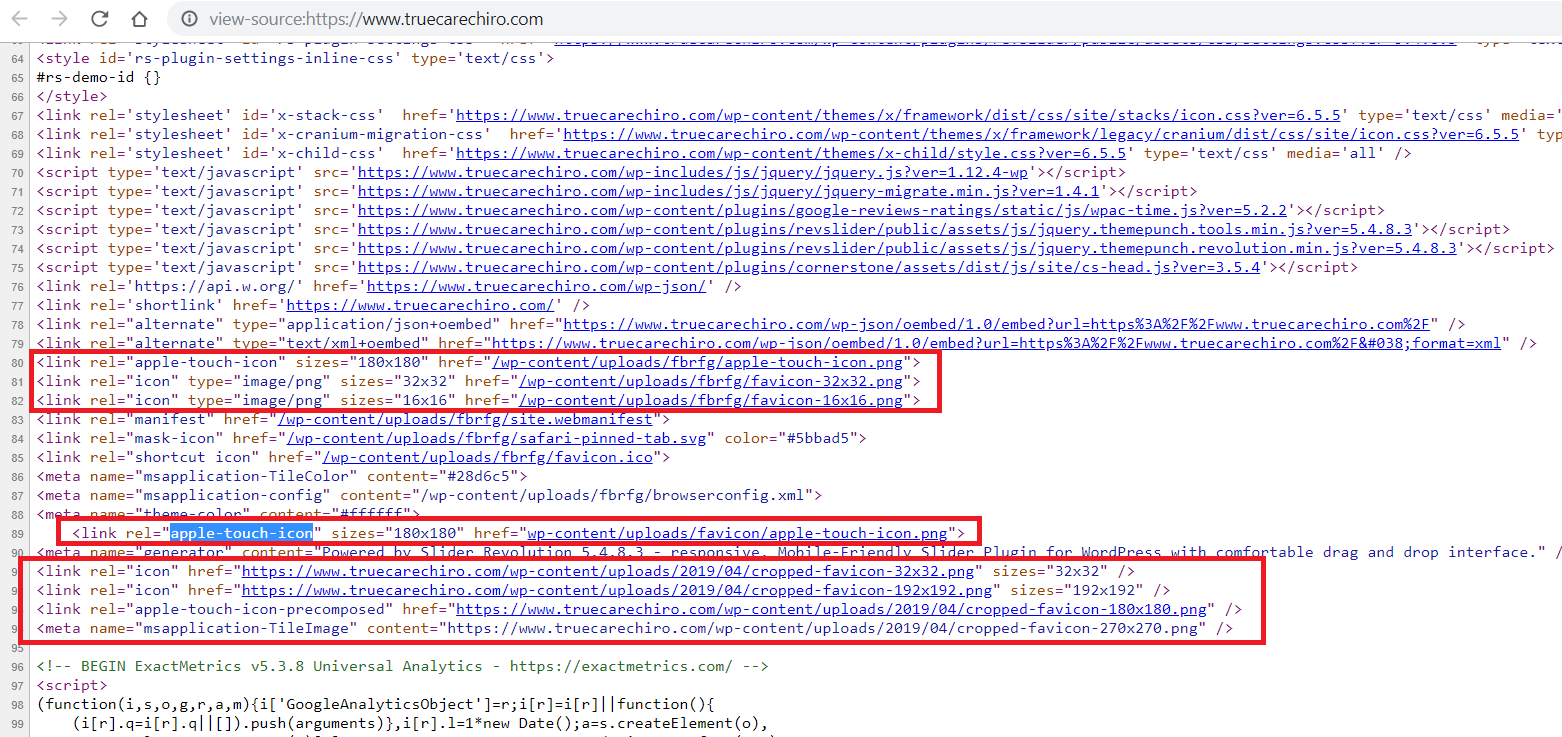
No need to add another plugin to set favicon. You have it already. Now, there are multiple icons. Please turn of Theme Options > Social > Open Graph. After that, clear cache. Check the source code. See if this line is still there:
<link rel="apple-touch-icon" sizes="180x180" href="wp-content/uploads/favicon/apple-touch-icon.png">
If it is still there, it might be coming either from a plugin or custom code. To check if it comes from a plugin, please try testing for a plugin conflict. You can do this by deactivating all third party plugins, and seeing if the problem remains. If it’s fixed, you’ll know a plugin caused the problem, and you can narrow down which one added this icon by reactivating them one at a time.
Hope this helps.

