Old customizations after upgrade

Hello,

When you launched the Child Themes, the CSS and JavaScript customization option was removed from the Theme Options. Today I know how to work with Child Themes, I’m already using it.

The problem is in the codes that were inserted within the CSS and JavaScript customization before the update. I see that the custom codes I’ve entered are still active because the site is not unconfigured, but how do I access those codes I’ve inserted in the past to make changes and copy them into Child Theme?

Thank you.
Hello @andersonosn,

Thanks for writing in!

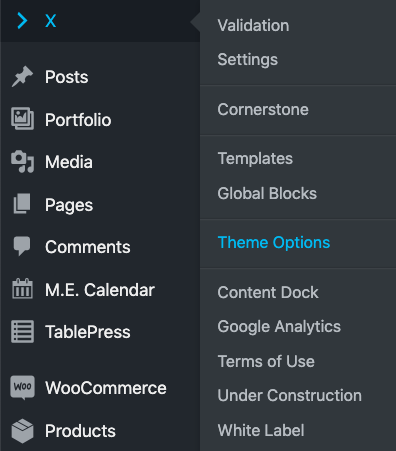
I think there’s some confusion here. We have note removed CSS and Javascript panel in Theme Options panel. Please walkthrough following steps to access the same:

  • Open Pro > Theme Options.

  • CSS or JS panel can be accessed from the left sidebar options panel.

The later part of the question is not very clear but let me try to address as per my understanding. If you have added the codes in CSS and JS editor of Theme Options panel then following above steps you can access the codes and move them to child theme, should you wish to move. If I have interpreted incorrectly, please let me know.

Thanks.

This topic was automatically closed 10 days after the last reply. New replies are no longer allowed.