Old CSV files. Adding blocks and sections

HI,

  1. Can you still use the CSV files that worked with cornerstone for the last 4 years, or did the update ruin that feature and hard work?

  2. Where is the feature to quickly add pages, sections, and blocks to a page? I used to be able to add premade sections and full template pages as CSV files. I understand you have created a template manager. Maybe I don’t see where you can quickly add your sections that you have saved? I see where you can add full pages but where is the old feature to quickly add a full section. That is a must have to be able to add sections.

Thanks
Hi There,

1.) Latest template file is .tco. Though, there’s still a way use the old csl file. You may import it using old theme version on a staging site. Then upgrade to latest theme and upgrade to export it again this in .tco file.

2.) Saving and inserting section template is still there. The process is just different. See this: https://screencast-o-matic.com/watch/cFfehBDmD1

Hope this helps.

Oh that’s interesting. I’ll have to try it out! Thanks a lot for the video. That really helps! Great effort!

While I have you here; it seems the template manager is only for downloading saved templates (which then need to be uploaded the way in your video)? It would be cool to be able to insert a template right to a page from the template manager where they are all stored. I thought that was the point of creating that feature. Maybe I just don’t know how to use it yet?

Thanks

Hi There,

Thanks again for asking!

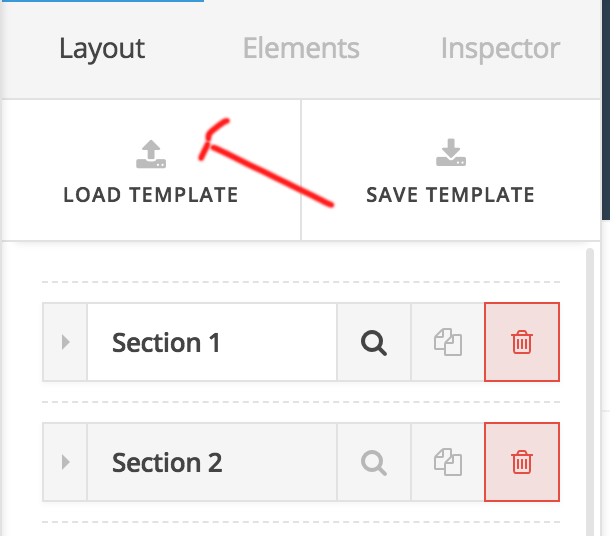
It’s super easy to insert any template in a page. Just click on load template button in the inspector.

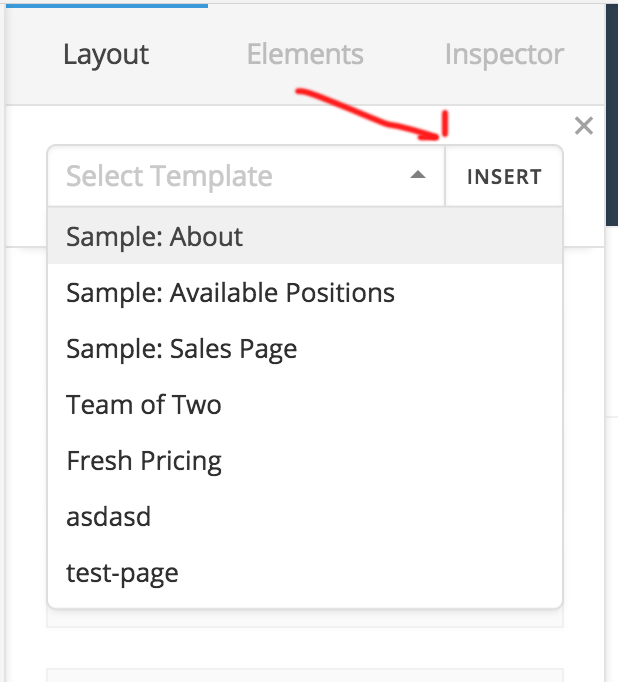
It will show you an available template from the template directory.

Then select and Insert. The template will insert into the page.
Hope this helps!

Thanks

This topic was automatically closed 10 days after the last reply. New replies are no longer allowed.