Off-page ID link scoll not working

Hi,

I would like to create an anchor link that scrolls the page to a certain ID.
I did create custom links like that on the navigations, but it doesn’t work.

Just to be clear:

The link I made is like ‘example.org/x/#id

If I click that link from a page ‘y’, it doesn’t work. I will attach credentials.

Thanks in advance, wish you a good day.
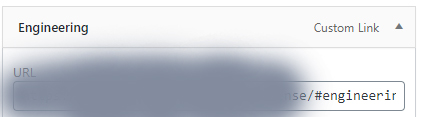
Hi @dvpnawn,

You need to add the specific section id along with the URL, for your example, it should look like you referred to example.org/x/#id. But it seems that the links are not made properly.
Please find the format for the link given in the secure note.

Hope that helps.
Thanks

Hi @tristup, thanks for your reply.

The links on the navigation were already set as you suggested, but for some case when you click a navigation item the /#id part disappear.Senza-titolo-1

Hi @dvpnawn,

It seems that the Links are associated with the <div> tag instead of the <a> tag. The Tag option set for the section is the reason behind your issue. I went ahead and set that into

for the Aerospace & Defense section, and it starts working. Please change that for other section too.

Hope it helps.
Thanks

It helped indeed, thanks a lot @tristup, and wish you a good day!

Hello @admindp

You are welcome @admindp. Please feel free to reach us if you have any query regarding our theme and theme options.

Have a great day!
Thanks

This topic was automatically closed 10 days after the last reply. New replies are no longer allowed.