Numerous problems after updating latest X Theme update. How can I revert back to a previous version

Since updating to X-Theme 6.04 and now 6.1.6 I have had numerous problems and would like to know if it is possible
to revert back to a previous version that worked.

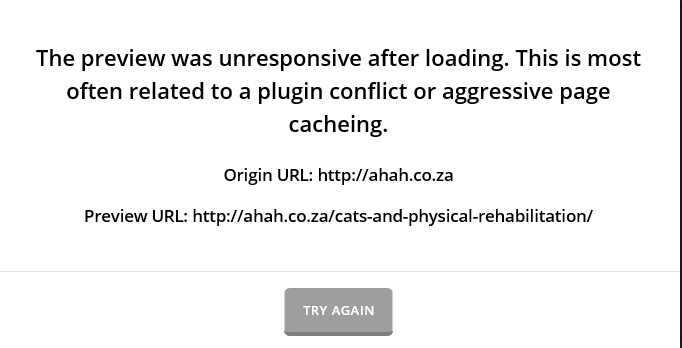
Problem 1: When trying to access cornerstone on an existing page I keep getting the following error message:

The preview was unresponsive after loading. This is most often related to a plugin conflict or aggressive page cacheing.

I do not have a caching plugin on my website. I have cleared my browser cache. I have deactivated all third party plugins and the error message persists.

Problem 2: When I attempt to redo the page (which is time consuming to start with) I cannot drag and drop the elements
into the page as one could on previous versions. They do not move onto the preview page as they did in the previous versions.

I would prefer to revert back to the previous version of X-Theme, I had fewer problems and it was significantly more user friendly.

Can anyone please advise how to do this.

Thank you.

Hi @DenicoB,

Thanks for reaching out.

Based on your provided information, it sounds like there is a javascript issue that prevents it from working. Before you restore it to its previous version, would you like us to check the issues first? Please provide your site’s URL and admin login credentials in a secure note.

As for restoration, you may go to your Apex dashboard page then download the Stability Release (should be a link under download button). You can install them after deleting your cornerstone and theme. But, I personally recommend restoring your site through your hosting to make sure data are restored too (not just the files).

Once restored, I encourage you to clone it into staging where you can test the update and fix issues. This makes sure the changes are done in a separate site instead of your live one.

Let us know :slight_smile:

Good Day. You are welcome to take a look if you like. I already supplied all my credentials in a secure note.

I’m also concerned about how secure your secure notes are.
Why am I able to see secure notes posted by other users? I am very concerned my security has been breached.

Oh waow! What is going on? It says this is only visible by staff and me. Please address this issue!

Hello Guys,

Secure notes can be seen by the staff and the original user who has posted the thread.

@DenicoB:

  • When you post a secure note, our staff and you alone can view it. You are seeing the secure note of @yowga because you are the owner of the thread.

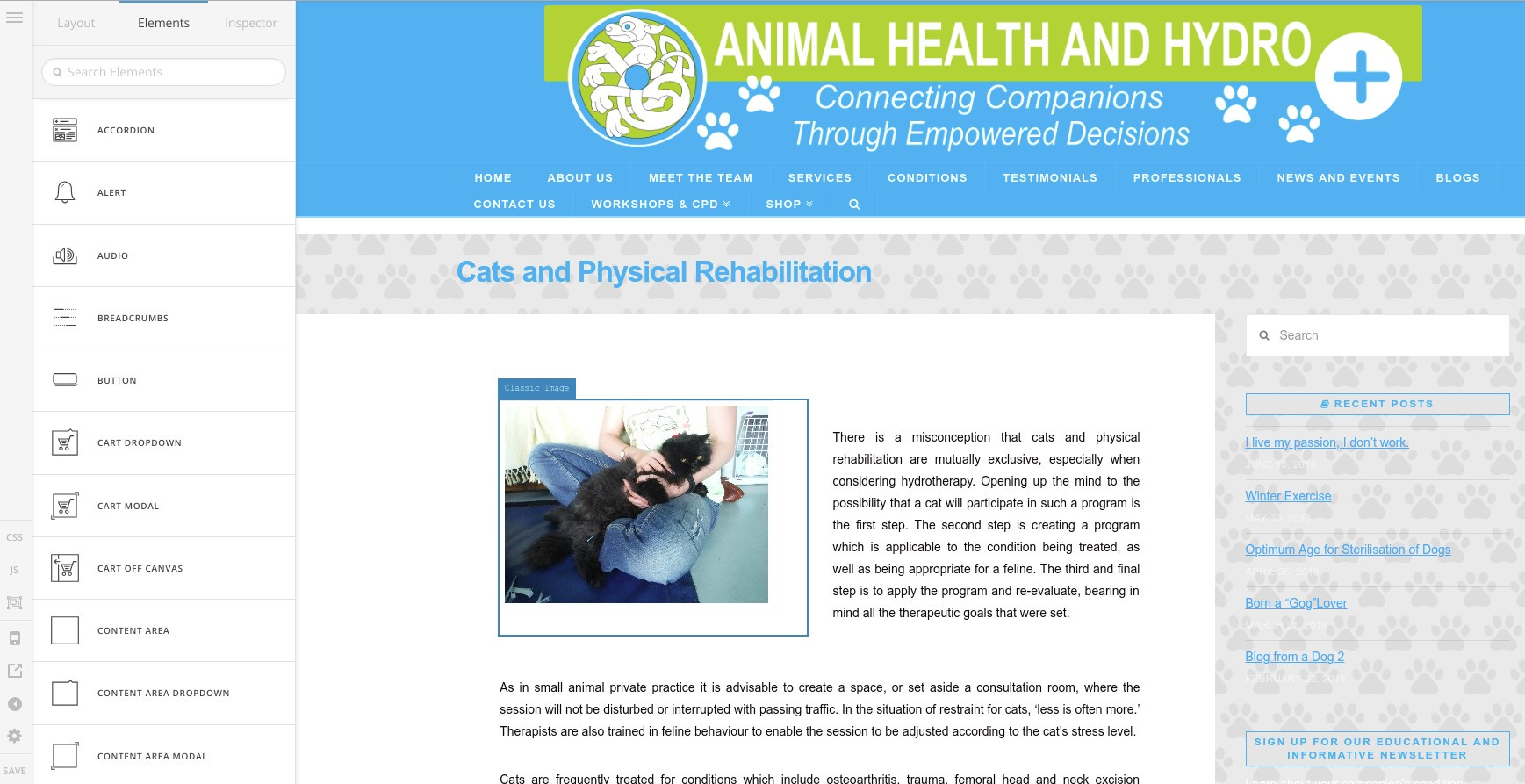
I have logged in and checked your site. I can edit some of your pages just as shown here:

On some pages, I cannot. It is giving me a message: http://prntscr.com/jw17g0
Upon checking, it seems that page preview has timed out. I would recommend that you increase your PHP time limit to at least 300s. You may need to contact your hosting in order to do that. While at it, please make sure that you have meet the requirements to run WordPress 4.9.6 because server configurations will also affect the performance of the site and the plugins like Cornerstone. You can check all the WordPress requirements here: https://wordpress.org/about/requirements/

And you can check some of your server settings in WooCommerce > Status.

@yowga:

  • Bumping someone’s thread and posting secure note is a no-no. That is why it is so much better if you create your issue in a separate thread. I deleted your secure note for security reason. Please create a thread for your issue and you can post your login details in that thread.

Hope this helps.

As per your suggestion I contacted my Hosting Provider and asked them to increase the PHP time limit to 300s and confirmed that my website has met the requirements to run WordPress 4.9.6

Herewith their feedback

I have increased the max_execution_time for the domain to 300. Please refer below URL regarding this:

I have also made sure that the domain is using PHP 7.2 and the server does support all the requirement that is required for wordpress 4.9.6 .

This has not rectified the problem. I am not even sure how you managed to get into the page featured above. I tried and got the same error message as with all other pages. The same problem persists even while meeting these requirements.

Hi @DenicoB

I’ve checked your website and I can see the builder is working just fine for this specific page “Cats and Physical Rehabilitation”:

It could be something very specific to your browser, did you try using other browsers as well? I suggest checking Chrome Incognito mode.

Keep us updated,
Thanks.

Thank you. The problem appears to have been my browser. I was trying the latest and older versions of Internet Explorer. It did not work on either of those browsers. I downloaded Chrome and all appears to be in working order on Chrome.

Hi @DenicoB,

Happy to hear that.

Feel free to ask us again.

Thanks.

This topic was automatically closed 10 days after the last reply. New replies are no longer allowed.