Good evening.
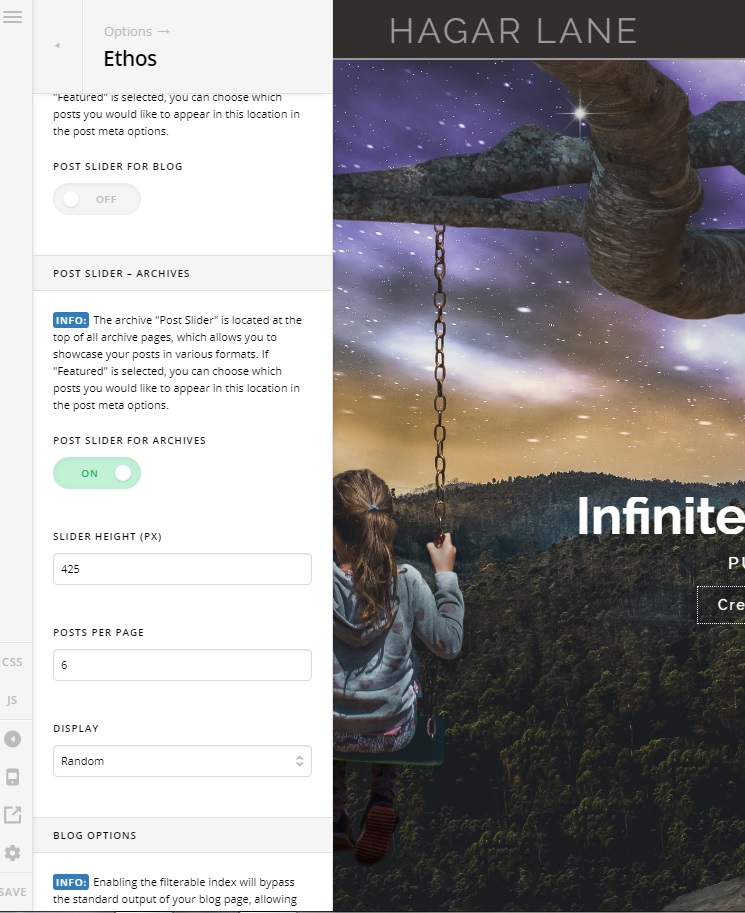
In this moment I have 5 posts visualized for page in my Blog. I wanted increse this number, in order to have 6 posts for page, so I went on Ethos option and I changed this number from 5 to 6 as you can see in the followed image, but nothing changed. Is that the field where I have to put the number of posts thai I want to see per page?
Thank you so much.
Best regards
Patrizia
Hi Patrizia,
Thank you for reaching out to us. Those settings are for Post Carousel and Post Slider. To change the posts number on blog page, go to WordPress Settings > Reading > Blog pages show at most and set the number to 6 (see screenshot)

You can also refer to a guide here https://www.wpbeginner.com/beginners-guide/how-to-change-the-number-of-posts-displayed-on-your-blog-page/. Hope this helps!
Thank you so much, Nabeel. You are right.
A big hug
Patrizia
This topic was automatically closed 10 days after the last reply. New replies are no longer allowed.