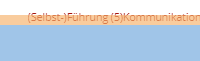
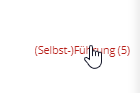
Not exact link hover reaction

Hi
I use Pro theme on a customers website.
I have built with layout builder a category list.
This list appears at the top of the page above the heading and a second time at the bottom, below the content before the footer.
The upper list works fine.
But the mouse pointer does not react properly at the list links at the bottom.
It should on mouse over show the pointer symbol to show that this is a link.
But the link hover sensitive area is to small.
It is only on the upper few pixels of the links.
I send you a link and a screenshot in a secure note.

I guess:
Under the row with the link list is a row with only a gap.
When I delete this row, it works fine.
But I would like to keep the gap.
What is wrong here?

Hope you can help.
Thank you!
Hannes
Hey Hannes,

The links actually work but it’s clickable area is very small because it’s covered by the Column’s space inside the Row below it.

image

image

The solution is either:

  1. Delete the last Row containing the Gap element and instead add the Gap element directly below the menu.
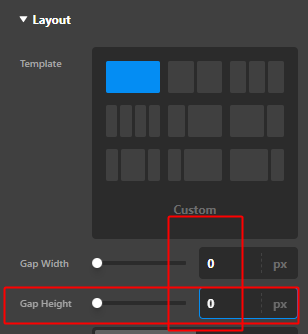
  2. Or, set the last Row’s Gap Height to 0. If you don’t need the gaps, it’s best to set the Gap Width to 0 as well.

image

Hope that helps.

Thank you. But is this the way it should work? Why is the column overlapping?

Hey @salilou,

I suspect that the reason of the column is overlapping because of custom CSS code.

I guess the solution given by my colleague fix your issue.

Hope that helps.

OK, thank you very much!

Hi @salilou,

You are most welcome.

This topic was automatically closed 10 days after the last reply. New replies are no longer allowed.