the new update overrides the custom css you installed on my site to make nav non visible
Hi There @allan015
I’m sorry to hear that you’re experiencing this issue! Did you add your customizations to Theme Options > Global CSS or did you add customizations directly to the X/Pro theme’s style.css file?
If you have added directly to the style.css file, it will be overridden when updating the theme however Theme Options > Global CSS should remain after updating.
Also could you please try clearing cache by head over to X -> Settings area.
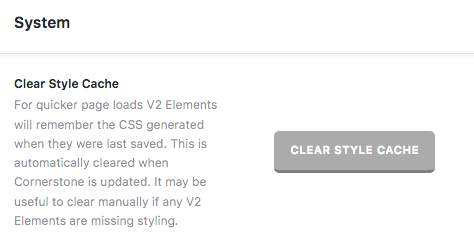
If you’re using any caching plugin, you need to purge your server cache as well and re-test your issue.
For further assistance, we will require your login credentials in a secure note.
Thanks!
secure note with login details above before the update x themes header was disabled so i cold use superfly as my main menu
and it was customised by your staff so i dont know where the code was added
Hello @allan015,
Thanks for updating the thread. 
Actually the code is working fine but the issue was with cache. I cleared Borlabs cache and now navigation is not visible. Please clear browser cache and then load the website again.
Thanks.
thanks prasant much appreciated hi its happened again and there is no cache to clear?