How come the interface is now all changed and wasted half a day trying to figure out how to make a new page with out the stupid TITLE and have a full width page. Horrible.

Hello Tim,
Thanks for writing to us.
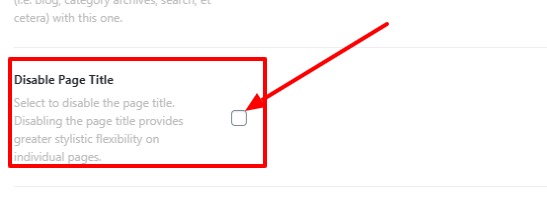
To disable the page title, go to the page and click on edit —>Scorll down to page settings—>Disable Page Title.
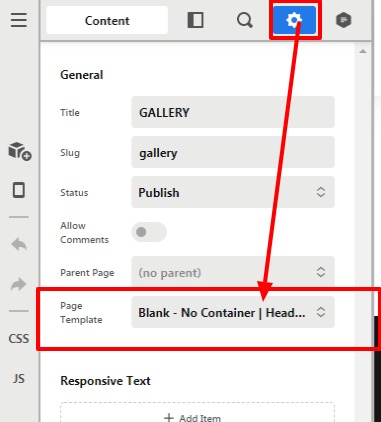
To make page full-width or section, go to page Click on the settings icon—>Select Page template --> “Blank - No Container | Header |Footer”
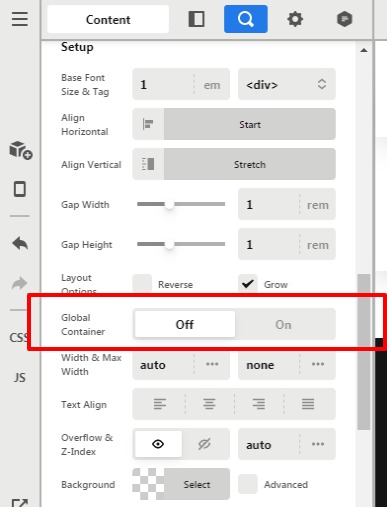
Now click on the Row magnifier icon to inspect the settings—>Global Container —>“OFF”
Thanks
This topic was automatically closed 10 days after the last reply. New replies are no longer allowed.