I addded this code to change how big my H2 was but now when I use H2 Tag, I cannot get a space between the H2 and the paragraph.
This is a H2 Tage (No space)

This is a H4 Tag (This is how I want my H2 Tag to look with the space)

I addded this code to change how big my H2 was but now when I use H2 Tag, I cannot get a space between the H2 and the paragraph.
This is a H2 Tage (No space)
This is a H4 Tag (This is how I want my H2 Tag to look with the space)
Hi There,
Thanks for writing in!
Space is coming from the line height for the heading tag.
H2 having different line-height value than H4 and rest of heading tag.
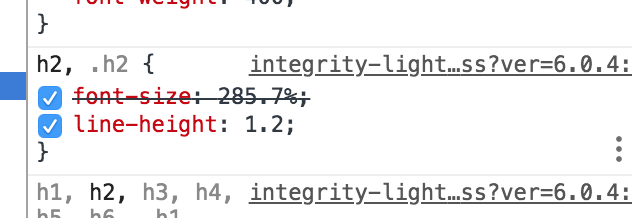
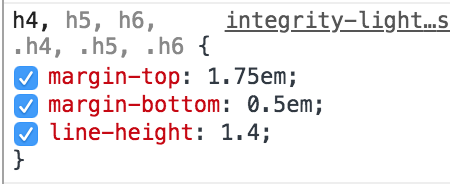
If you want to have space like H4 please use this CSS in your theme option -> global CSS
h2, .h2 {
 line-height: 1.4;
}
Hope this helps!
Do I need to add the code you just gave me OR replace it with the code below?
body.single-post h2 {
font-size: 150% !important;
}
Hi There,
The code provided by @basanta will be applied to all the pages and posts globally. If you just want to integrate it your existing CSS rule, you can do that as well.
Thanks!
This topic was automatically closed 10 days after the last reply. New replies are no longer allowed.