Need to move "Phone" field up by the "email" field

https://justinpeters.wpengine.com/support/

So on this page is an example of a contact form that I have to fix up a little bit. Basically I just need the phone field to be up beside the email field, like last name is to the first name field. Here’s a screenshot:
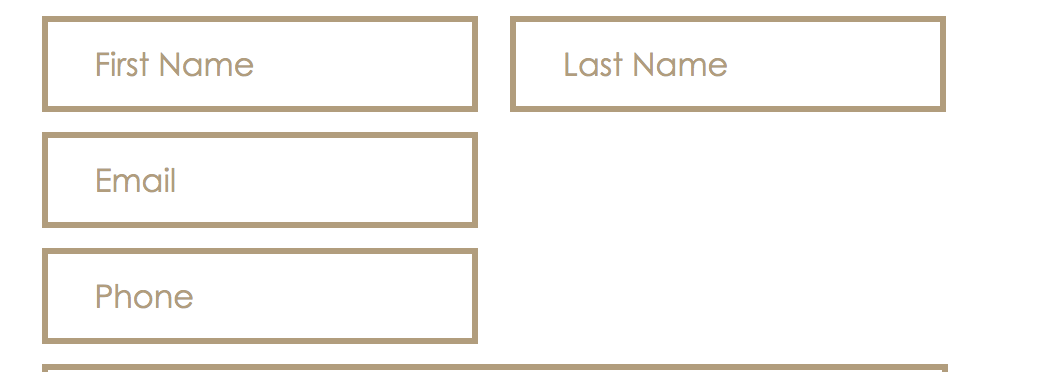
Thanks! Will provide credentials below in case you need them.

Edit: I’d like for this to become a universal change, not just on this one page.
Hello Randy,

Thanks for writing in!

Please add following CSS under X > Theme Options > CSS:

.ginput_container_email, .ginput_container_phone, #gform_2 input[type="text"] {
    width: 100%;
    float: left;
}

input#input_2_2 {
    width: 100%;
}


li#field_2_2, li#field_2_3 {
    display: inline-block;
    width: 50%;
}

1- I have found the proper CSS code selector using the Chrome browser Developer Toolbar: https://www.youtube.com/watch?v=wcFnnxfA70g

2- For the CSS code itself, I suggest that you get started with this tutorial: https://www.youtube.com/watch?v=yfoY53QXEnI

Thanks.

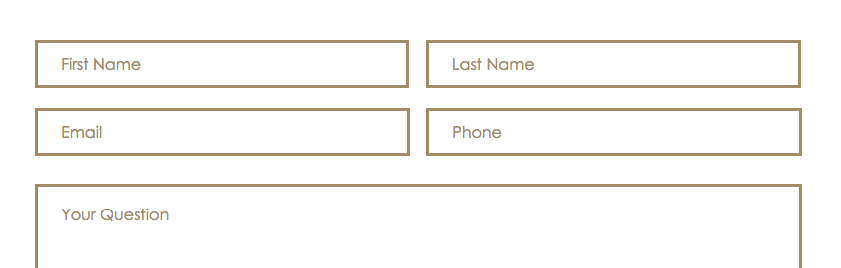
Thank you so much!! I just meant that I need to make it so that all of the fields in the form are displayed in that 2 column layout like most of it is. So in this case I need to move that email field up by the phone one, and then I may need to move the date field up by church name.

Thanks again, you guys are fantastic!

Hello Randy,

Thanks for the updates. I have checked your contact page and I am seeing that the form is now properly in place.

I am also not seeing an email field, date field or church name in the support page. Could you please clarify your additional inquiry?

Regards.

This topic was automatically closed 10 days after the last reply. New replies are no longer allowed.