Need help with customising the standard Footer in X

Dear Support,

I have a client request to make changes to a sites Footer.

The site is built with X, and uses the Integrity stack.

The client would like me to set the background color of the footer (and the footer only) to the green used throughout the site (#00a65c), and update the links in the footer (and the footer only) to a white/off-white color so they will show up on the green background (sitewide link color is green).

Your help is truly appreciated.

The site is:

Thanks in advance and kind regards - Jade

Hi @freedomdesign

Try this:

.x-colophon.bottom {
background-color:#00a65c;
}
.x-colophon.bottom a {
color:#fff;
}
.x-colophon.bottom a:hover {
color:black;
}

:slight_smile:

Thanks for the quick reply Misho.

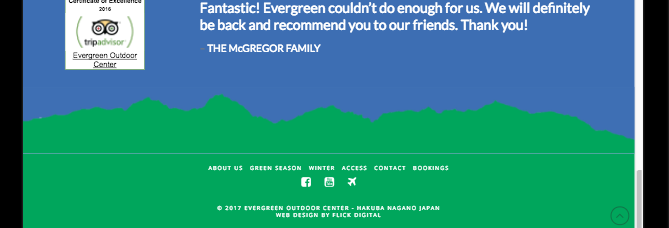
I am preparing to do this, and now I am testing I realised that while the footer display looks good on my computer, when I test different screen sizes using responsiv.eu there are borders displaying above, and in some cases below, the mountain image just above the footer. This takes away from the effect the client wants of a mountain with clear sky above.

The code I am using to remove the border above the footer is

.x-colophon { border-top: none; -webkit-box-shadow: none; box-shadow: none; -moz-box-shadow: none; }

Is there anything I can do to remove those lines across all devices?

Thanks - Jade

Hey There,

Try adding:

@media (max-width: 959px) {
blockquote {
border: 0 !important;
}
}

Let me know if that resolved your issue.

I tried to perform this same task, but the code above just made the text of my footer black, how can I make the background (only) of my footer on my demo:page only black? Never mind - I found!

Hey There,

We are just glad that you have figured it out a way to correct the said issue.
Thanks for letting us know!

Best Regards.

Hi,

I tried this but the problem isn’t resolved. The section above the footer looks fine on some resolutions, but not others. On some there is a border below the image showing the blue background. If you drag your browser size around while looking at the footer you’ll see what I mean.

Thanks in advance - Jade

Hi again,

Try replacing the previous code with the following code:

blockquote {
    border: none !important;
}

If this doesn’t help then please provide some screenshots of the issue so we can take a closer look?

Thanks!

I just changed the way this is done - I made a new image without transparent background and changed the color behind the image so it looks fine regardless. Thanks for the help though.

Glad you’ve sorted it out.

Cheers!

I thought this was resolved, but actually I still have the same problem. It appears to be showing a part of the background from section from below the image, or some kind of border.

There are 3 sections here (from the bottom)

  • The Footer

  • The Image (class=“man”, section background same green as footer)

  • The blockquote

The line I want to remove is at the bottom of the image, between the image and the footer - image below. Depending on resolution, it appears at top sometimes instead/as well.

I thought I could add the image to the top of the footer section and fix this but couldn’t work out how to do it.

Thanks in advance for your help!

Hi again,

I just checked your footer image and the border you see is in your image itself, please crop the bottom part just a little bit of the image to remove the border.

Cheers!

Hi Nabeel.

There was an issue with the image moving a pixel or two up from the footer on certain resolutions. I had a transparent background image, I have fixed that by making the section background the same color as the footer, and editing the image as recommended.

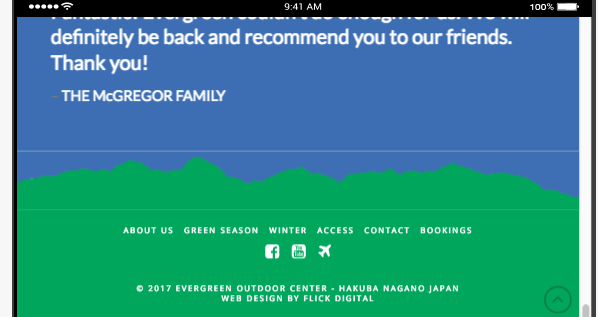
But the problem isn’t fixed. It looks fine on desktop, but not on mobile, as shown below. The white line between the image and the footer is not part of the image, and on some resolutions a line appears at top as well.

Mobile (Landscape):

Hi again,

For your last section where you’ve custom image, change the following inline styling:

    margin: -2px; background-color: hsl(215, 49%, 47%);

Let us know how this goes!

With the inline CSS, do you mean to put it in the Section or the image itself? I have put it in both and got the best result so far, but am still getting lines between the rows and sections. Thanks for all your help!

Hi again,

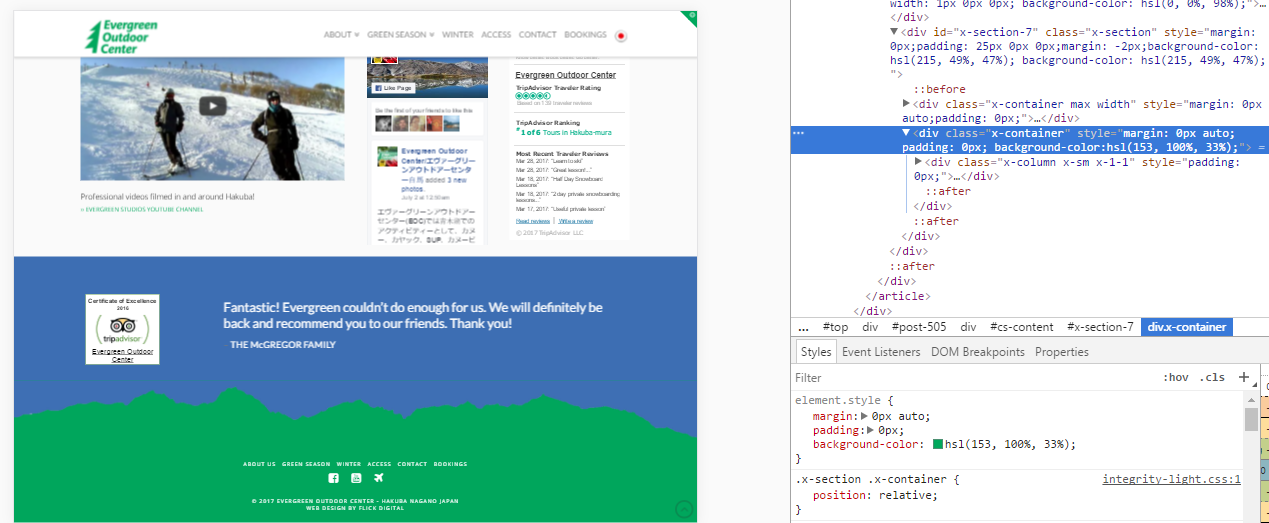
Yes I can confirm adding the inline CSS in both section and image works great. I see you’ve given green background to one of your container using inline CSS (see screenshot), please change it to:

background-color: hsl(215, 49%, 47%);

And add the following inline CSS to the column right above your image (see screenshot):

margin: -2px;

This should fix all of your issues!

Thank you thank you thank you!!! You have gone above and beyond to help me customise this. I cannot thank you enough, your support has been incredible, and truly makes this product the best on the market. X is amazing!

1 Like

Thank you for the kind words we do appreciate it a lot I have forward it to Nabeel as well :slight_smile:

1 Like

This topic was automatically closed 10 days after the last reply. New replies are no longer allowed.