I am using Themeco-X Integrity, and mostly Cornerstone as coding is not my thing. It´s about layout, section and elements. I am trying to figure out how to set up the layout something similar to page www.pinus.fi
And I especially mean that section right under the header. Those six boxes and slider on right. I have tried several combinations but staring to frustrate. Some ideas welcome 
Hi There @Floriance
Thanks for writing in! You can use a two column layout.
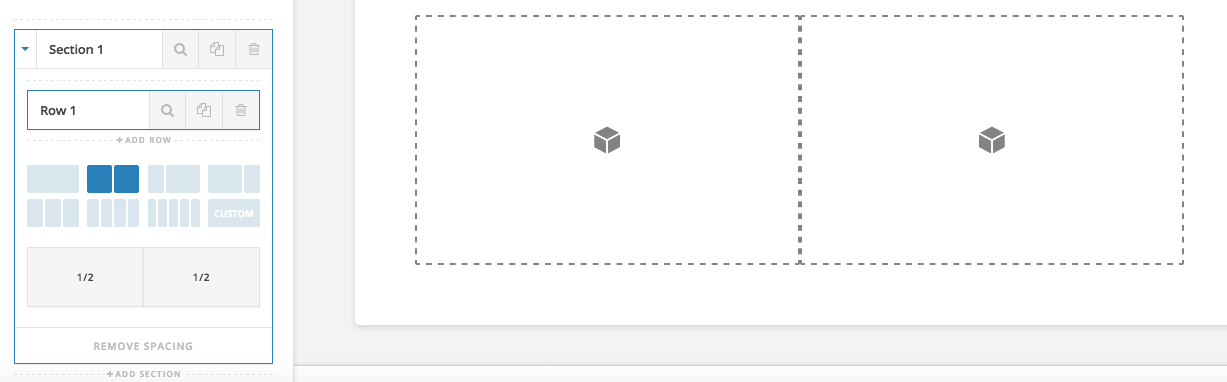
For the left side, you can place a text element and you can use HTML to create those boxes.
Example code below:
<div style="float:left;margin-right:1%;">
<img src="http://via.placeholder.com/150x150"></a>
<p>Content placed here</p>
</div>
<div style="float:left;margin-right:1%;">
<img src="http://via.placeholder.com/150x150"></a>
<p>Content placed here</p>
</div>
<div style="float:left;margin-right:1%;">
<img src="http://via.placeholder.com/150x150"></a>
<p>Content placed here</p>
</div>
<div style="float:left;margin-right:1%;">
<img src="http://via.placeholder.com/150x150"></a>
<p>Content placed here</p>
</div>
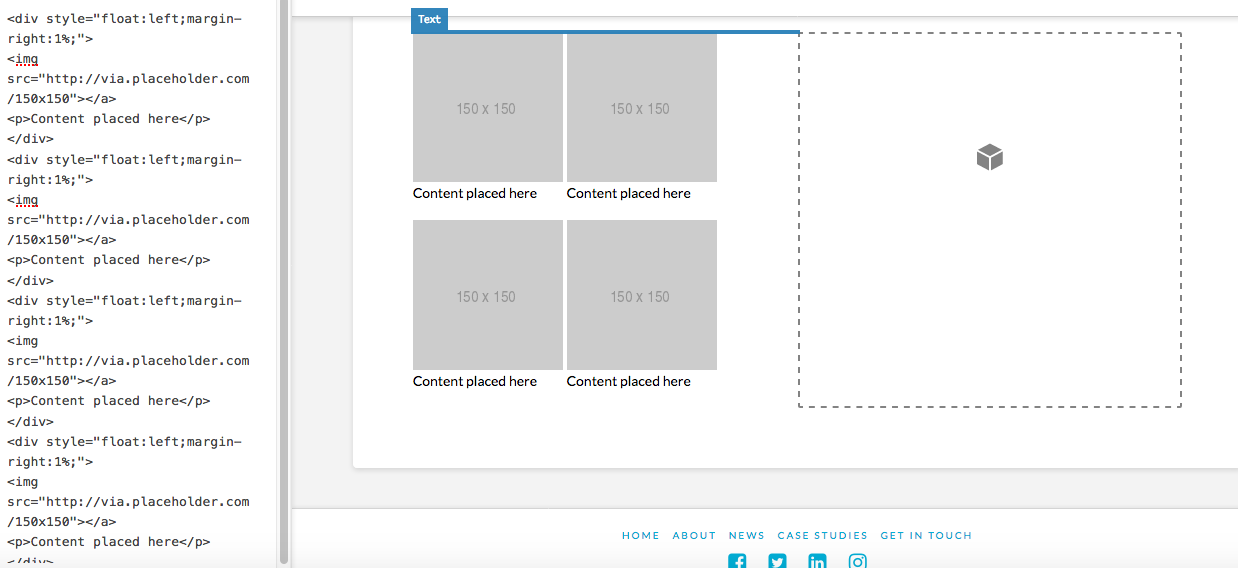
Then you can use the right side column to place your Slider Revolution shortcode.
Hope that helps.
Many thanks! 
You’re most welcome.
This topic was automatically closed 10 days after the last reply. New replies are no longer allowed.