Need a little space between post meta and image

Hi there,
I managed to change position of my blog post headlines, from “beneath image” to “above image”. So far it’s ok. But now the line with meta is squeezed to the picture. Which code will add a little space inbetween?


(never mind the first post, it’s sticky and just an introduction. Problem starts right underneath :slight_smile: )

Thanks a lot for help
Karen

Hi @x-vision,

Thanks for reaching out.

You mean add space between the meta and image? If yes, please add this CSS to your global custom CSS.

p.p-meta {
    clear: both;
    margin-bottom: 10px;
}

Hope this helps.

Hi Rad,
this is unbelievable - an answer within 8 minutes?? Gorgeous. And the problem is actually solved, thanks! I went up to 15 px and everything is good.
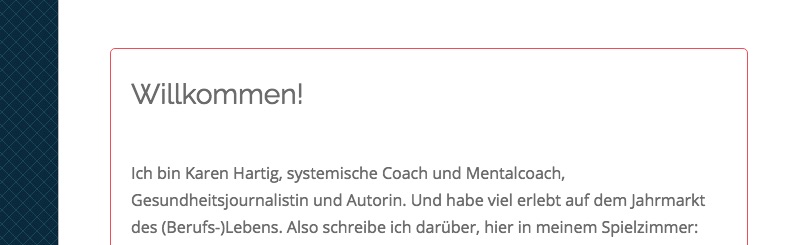
With one exception. I have been trying to find the reason for the huge gap between headline and text in the sticky post (see image).
Can’t find anything specific. I guess it is some extra code in CSS that causes it. What would you suggest I should look for, would there be some classic stuff that should jump into my eye?

Thanks again
Karen

Hi Karen,

I’ve checked your website and I can see that’s this is the line causing this issue:

.blog .entry-wrap {
    padding-top: 15px;
}

However, since you have a caching plugin installed that do minify CSS codes, I couldn’t detect from where exactly this line is loaded from, however, you can add this CSS code to (Theme Options > CSS) section to override its effect:

.blog .entry-wrap {
    padding-top: 0;
}

Thanks.

Hi Alaa,
that worked indeed, great! I’ll check that line in CSS later to find out more.

One more little question, with that new arrangement of blog page I think a little more space between posts would look good - could you give me a hint for correct code, please? Is it “margin bottom”?

Thanks a lot
Karen

Hey There,

To add more space between the post items in your blog, you may add a margin. I think you already added the correct code. You have this already:

.blog .hentry {
    margin-bottom: 3em !important;
}

Just increase the number of the margin and then clear your plugin caches first before you test your site.

Please let us know how it goes.

Hi Rue Nel,
sunday evening 11pm - done :slight_smile: Thank you so much, everything went perfectly well!

Cheers
Karen

You are most welcome Karen!
We’re glad we were able to help you out.

This topic was automatically closed 10 days after the last reply. New replies are no longer allowed.