Navigation Inline Element missing icon option

Where can I change the graphic icon in the navigation inline element?

I added the Navigation Inline element and under ‘Top Links’ and the Graphic Icon area doesn’t have the option to change the icon. I’m only able to have the pointing hand.

On all other elements, I can see the ‘Primary Icon’ choices but not on the ‘Navigation Inline’ element.
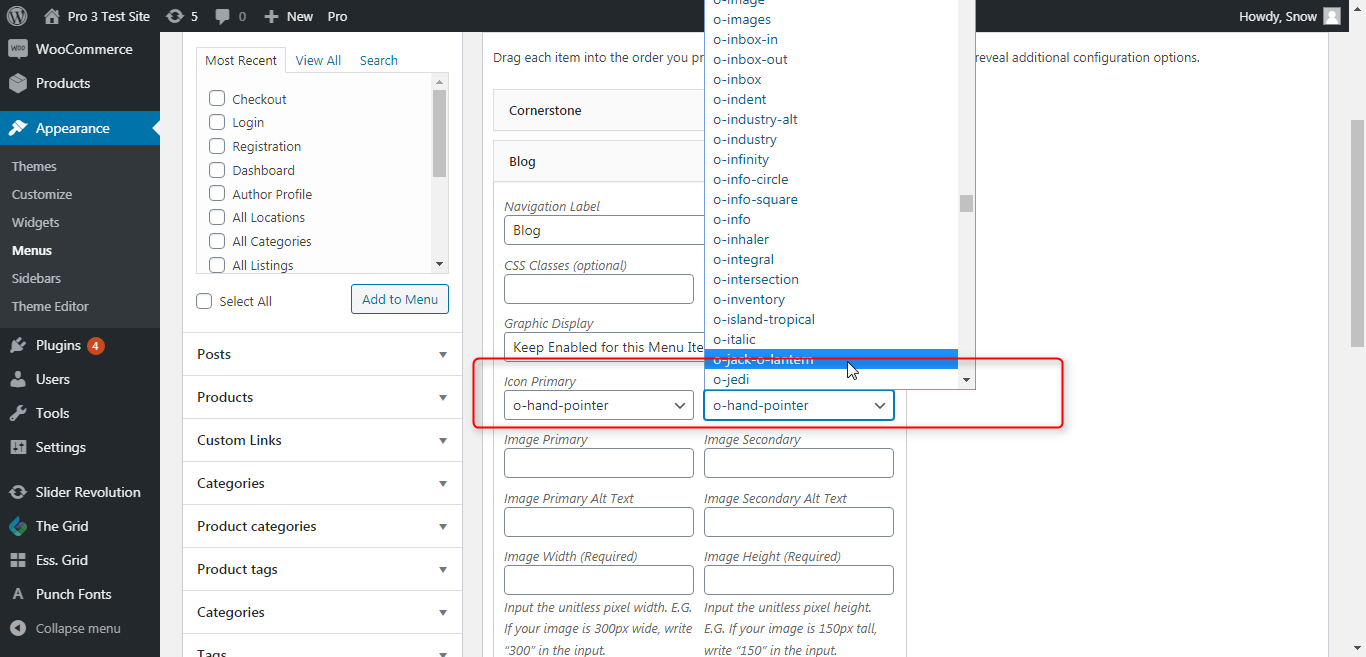
Hi @cfckiley,

Thank you for writing in, for menu items the primary and secondary icons and image can be set under Appearance > Menus


Hope it helps,
Cheers!

1 Like

This worked! Thank you!

We are delighted to assist you with this.

Cheers!

This topic was automatically closed 10 days after the last reply. New replies are no longer allowed.